
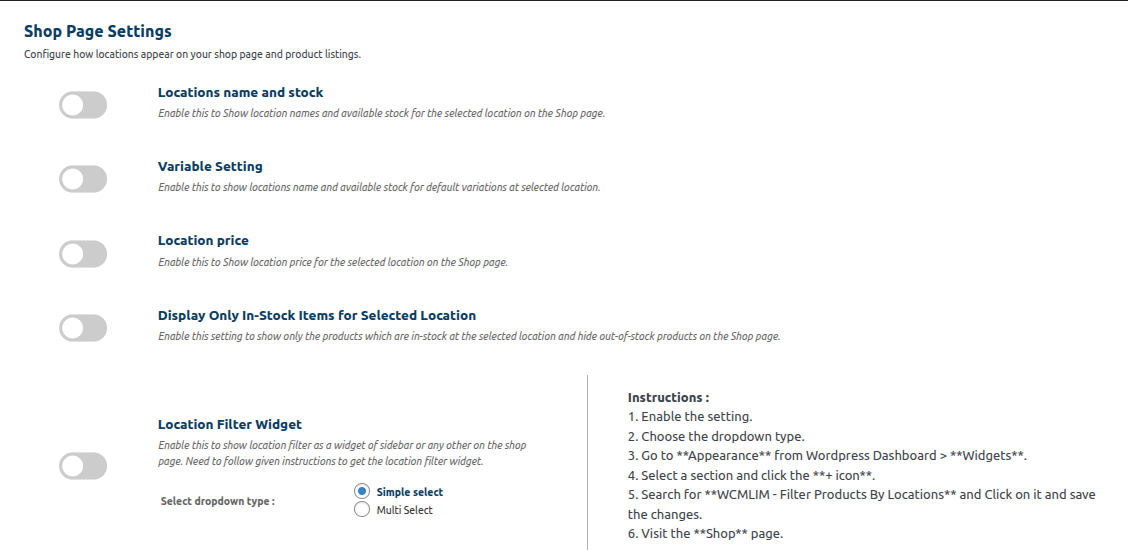
Image : Shop page Setting
1. Locations name and stock:-
1.Enabling this feature displays the stock and location of the product below it on the store page.
2.Disabling the feature results in nothing being displayed below the product on the store page.
2. Variable Setting :-Enabling this option will display the location name and available stock for default variations at the selected location.
3. Locations Price:- The price on the shop page is displayed based on the user’s selection.
(Process:- After enabling this setting, assign regular and sale prices to the product. This will allow location-wise prices to be displayed on the shop page.)
4. Display Only In-Stock Items for Selected Location:-
Enable this setting to show only the products which are in-stock at the selected location and hide out-of-stock products on the Shop page.
5. Location Filter Widget :-
1. Enable the setting.
2. Choose the dropdown type.
3. Go to Appearance from WordPress Dashboard > Widgets.
4. Select a section and click the + icon.
5. Search for WCMLIM – Filter Products By Locations and Click on it and save the changes.
6. Visit the Shop page.