
Modified Settings in 4.0.0 ( Set Price, Allow Backorder, Allow certain locations , Purchase price )
1. Set Regular Price and Sale Price for each location
This function allows the admin to set regular and sale prices on the product page for each location. Admin set the unique set and the regular price for each location as shown in the below file. They are displayed on front on the product detail page and shop page.
If Admin hasn’t set any price for the location, then the regular price and sale price set in the General tab will be shown

Image :- Product Edit (Admin view)
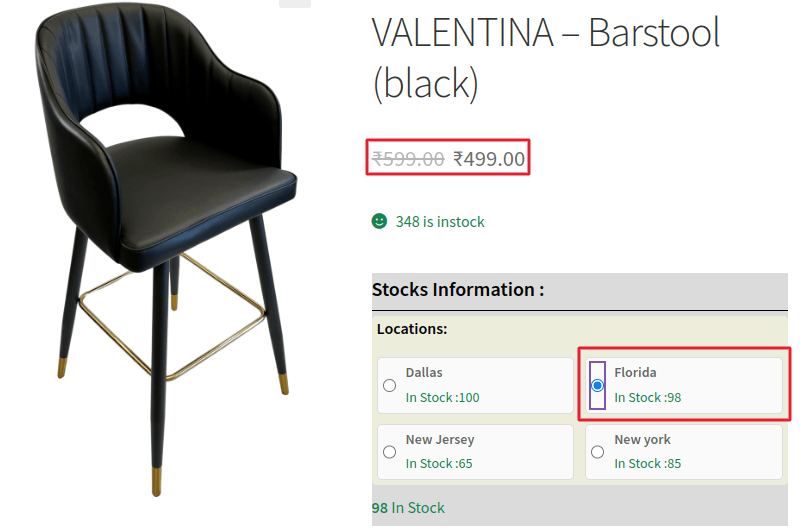
Image :- Product detail page (Location list view)
2. Allow Backorder: This setting empowers the administrator to enable backorders for a particular location or warehouse. To utilize this feature, simply click on the ‘Allow backorder’ dropdown and choose ‘Allow’ if you wish to permit certain locations to be on backorder.
Allow: Marks a location as ‘On backorder.’
Don’t Allow: If the status is ‘No,’ the stock assigned to that location will be displayed.
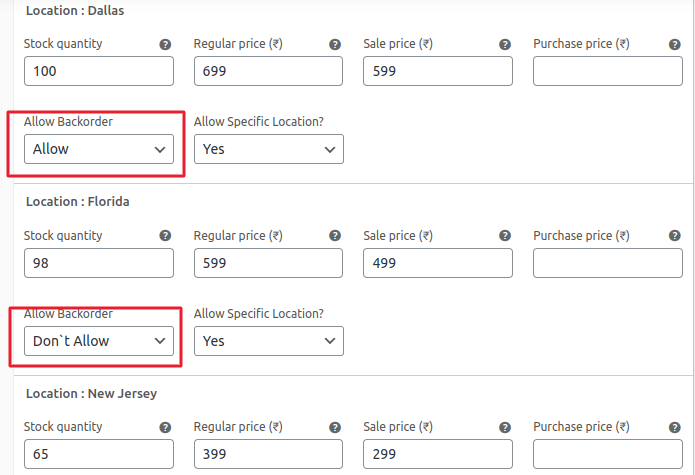
Image :- Product Edit (Admin view)
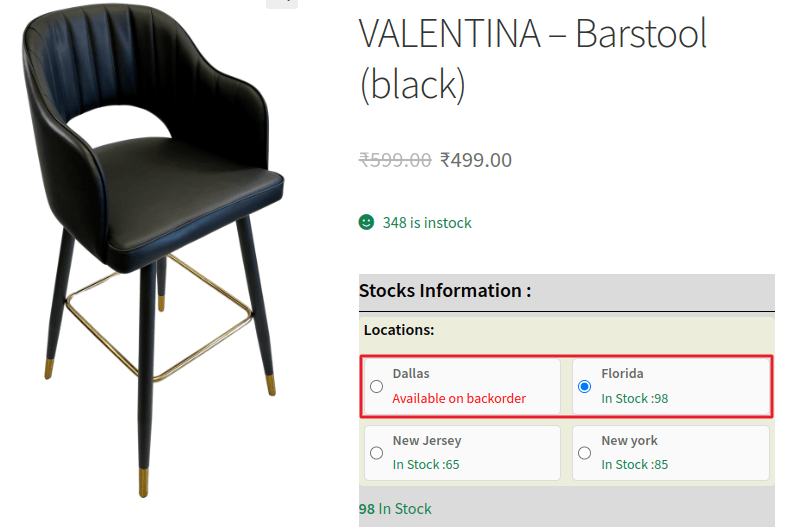
Image :- Product detail page (Location list view)
3. Allow Specific Location: This functionality empowers the admin to decide which locations or warehouses should appear on the product detail page.
Yes: Show the location on the product detail page for a specific product.
No: Hide a particular location from the product detail page for a specific product
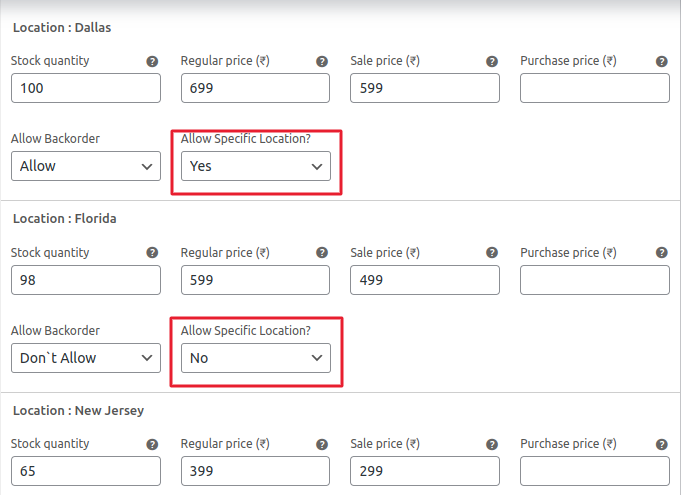
Image :- Product Edit (Admin view)
4. Purchase Price:- Admin can record the purchase price here, just to keep track of the price at which the product is acquired
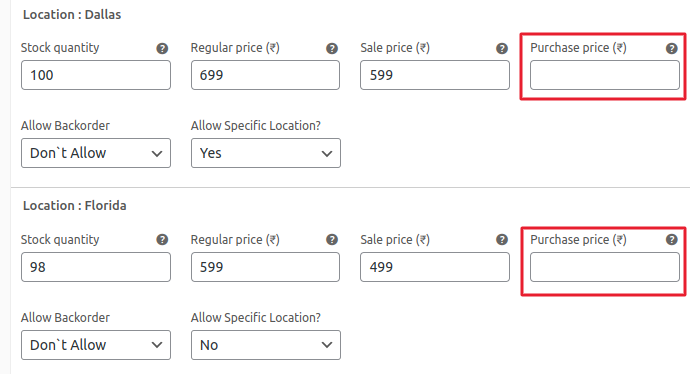 Image :- Product Edit (Admin view)