
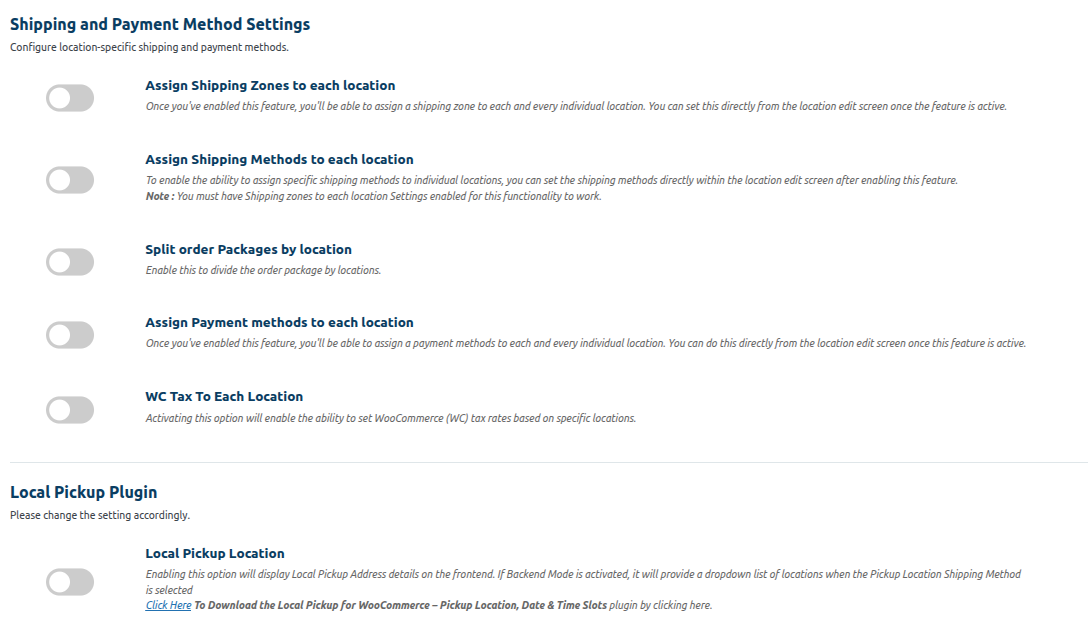
Shipping and payment method Setting
1 . Assign Shipping zones to each location:- Enabling this function allows for the assignment of shipping zones to specific locations. To achieve this, you simply need to create a shipping zone based on a particular area and then assign it to the relevant location. This will result in the display of shipping rates based on the assigned shipping zone
(Please Refer below Image, this related shipping zone)


To access the location editing feature, navigate to the Multilocation section and select “Manage Location.” From there, click on the “Edit Location” button as illustrated in the image below.


2 .Assign Shipping Methods to each location:- By enabling this feature, you can choose to display only certain shipping methods from the Shipping Zone on the cart and checkout pages.
| Note:- You must have Shipping zones to each location Settings enabled for this functionality to work. |
(Please refer below image)

Manage location section we can assign shipping method location wise.
3.Split Order packages by location:- Enable this to divide the order package by locations.

Enabling the split orders from the backend
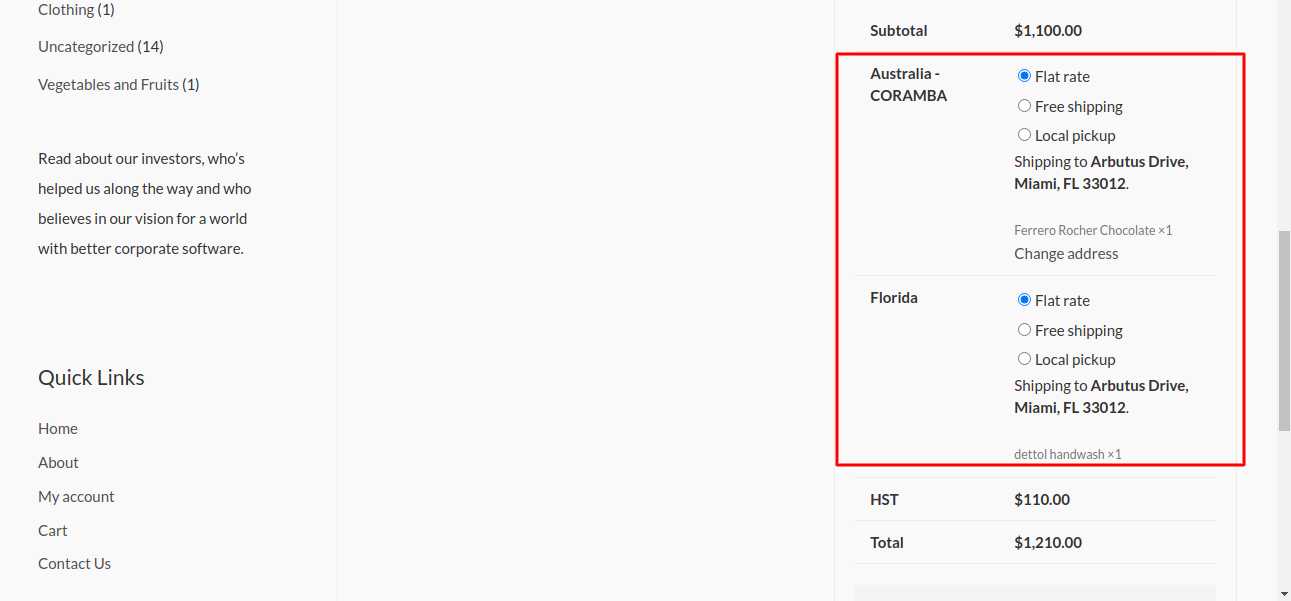 Frontend after ordering
4 . Assign Payment Methods to location:- This setting enables the application of payment methods based on locations. Each location can have different available payment methods from WooCommerce. By setting payment methods to locations, customers can choose from the appropriate payment methods when placing an order. If the order consists of products from different locations, only the payment methods available for the respective product’s location will be displayed.

Eg. The California location has both STRIPE and PAYPAL payment methods while Florida has only the STRIPE payment method.
Therefore, when placing an order, the Stripe Gateway will be available for orders placed in Florida.
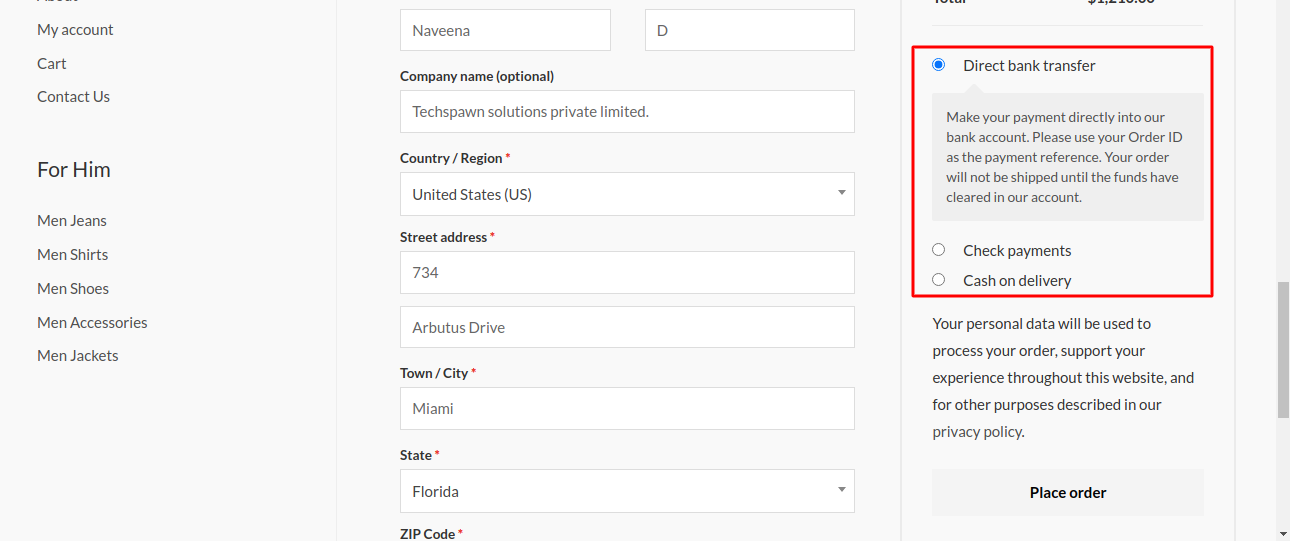
Image no:-3.4 payment method
3.6 .WC Tax to each location :– Enabling this switch will allow setting the WooCommerce Tax to specific locations. The WooCommerce Tax can be configured on the shipping tab of the WooCommerce plugin, which enables the tax calculation for the selected locations while purchasing the products.
Step One – Enable Setting

Step Two – Map the Taxes

Step Three – Show The Taxes On Cart

3.5 .Local Pickup location:– Enabling this switch will display the local pickup address details on the front-end. If the backend mode is also enabled, a dropdown list of locations will be displayed if the pickup location shipping method is selected.


Image no :-3.5 local pickup location.

For backend-only mode it will display a dropdown of pickup locations like shown in above image