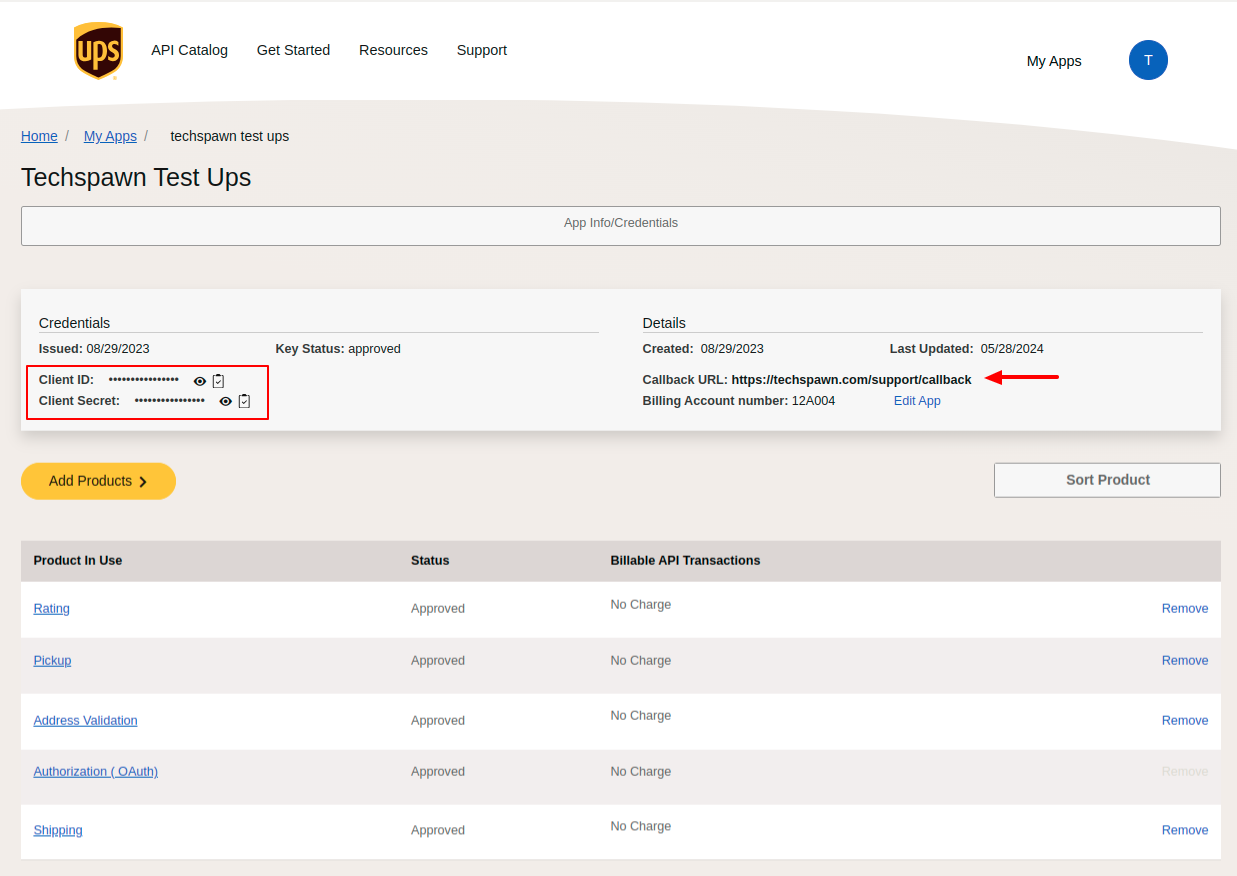
Locating Your Client ID and Secret ID: Simple Steps to Follow:
- Log in to your UPS Developer portal : https://developer.ups.com/apps?loc=en_US
- Click on the ‘Create an Application’ button.

- Click on Add Apps

- Choose the purpose for requiring the API credentials.

- Choose the Account. Proceed by clicking the Next button

- Provide all the necessary information. Then, click on the Next button.

- Put the APP Name.
- Enter the Callback URL along with callback
- For Example: if your site domain https://techspawn.com/support
- Enter the Callback URL https://techspawn.com/support/callback

- You’ll be directed to your created app’s page, where you can locate your Client ID and Client Secret ID.