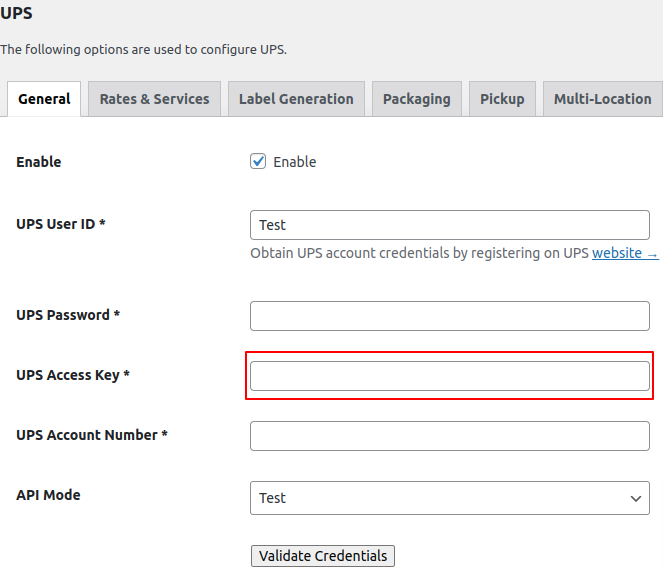
Steps to find Access Key in UPS
-
Please log in to your UPS account using your registered username and password.
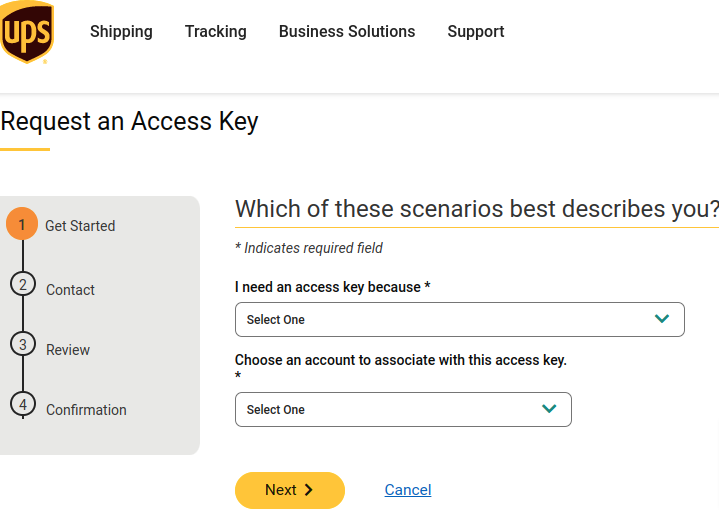
- To find the Access key, please follow this link: https://www.ups.com/upsdeveloperkit.

- Simply provide the required information to proceed to the next steps. Once you reach the final stage, you will receive a UPS Access Key.
- Next, navigate to the WP backend and select Woocommerce > Settings > Shipping > UPS. Then, insert the UPS Access Key into the designated field.