
How to Create Customers in front end
To Add the Customer,
- Go to POS Front End → Click on → + Icon → Click on Add Customer
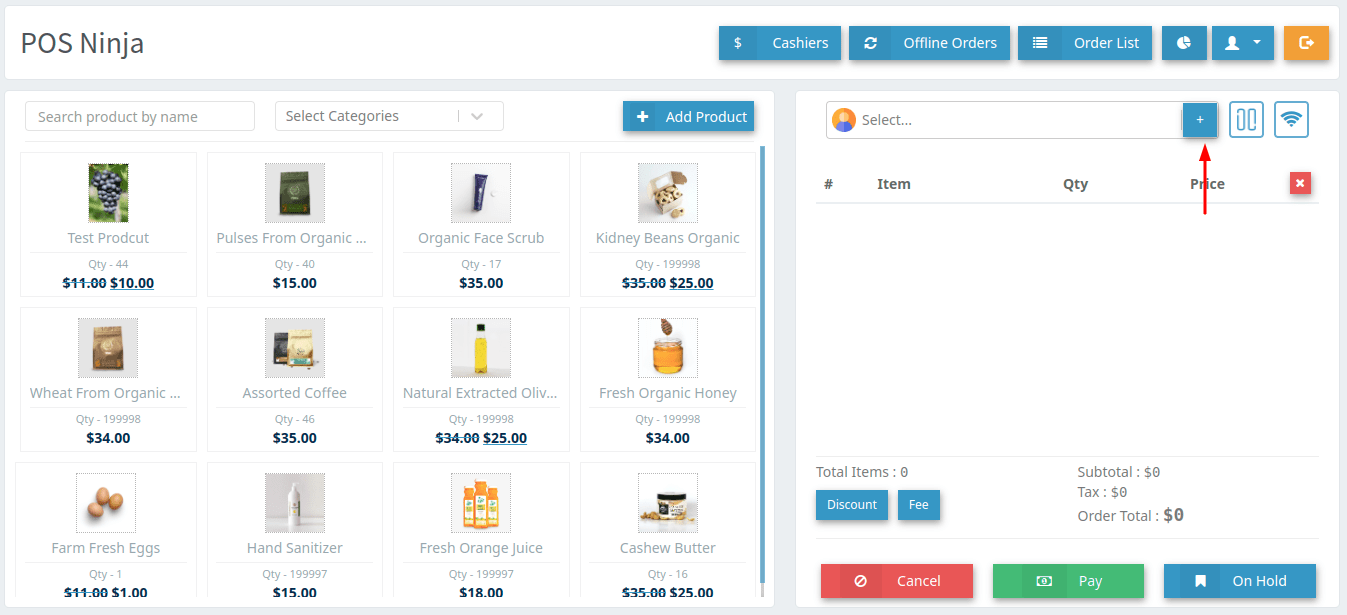
Image 01
After clicking on the + icon form will be open. Enter all the information there and then click on Add Customer.
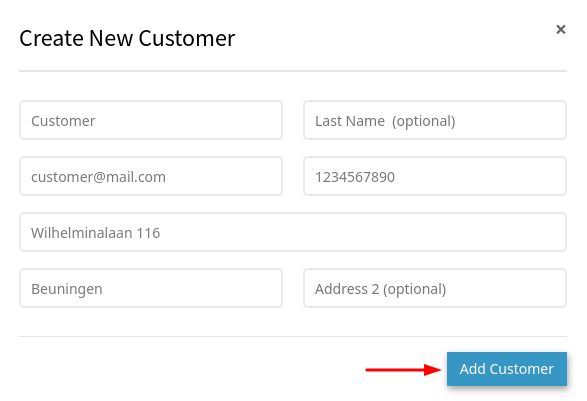
Image 02
Added Customer list will be after clicking on the Customer Search Box.
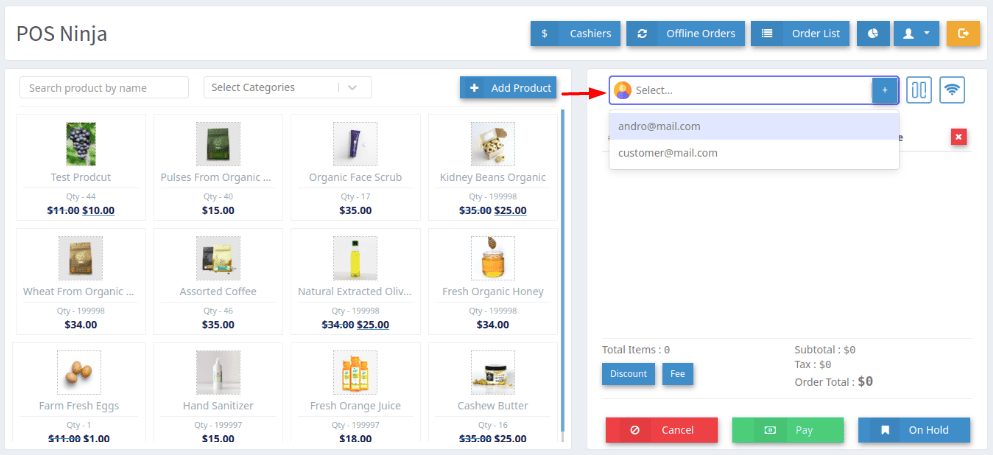
Image 03