
How to Create Outlets in POS Ninja For WooCommerce
- Users can easily create multi-outlet (warehouses) here. Simply enter the details shown in the image below.
Outlets are similar to different sections of your business. For example, if you own a Clothing Shop, you can set up outlets such as Kids Wear, Men’s Wear, and so on. - To Add the Outlet, Go to WordPress Backend → Click on → POS Ninja → Click on “Outlets and Counter” → Add New
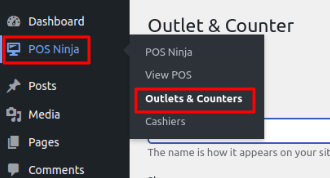
Image 01
- Fill out all the details shown in the below image and click on “Add Outlet.“
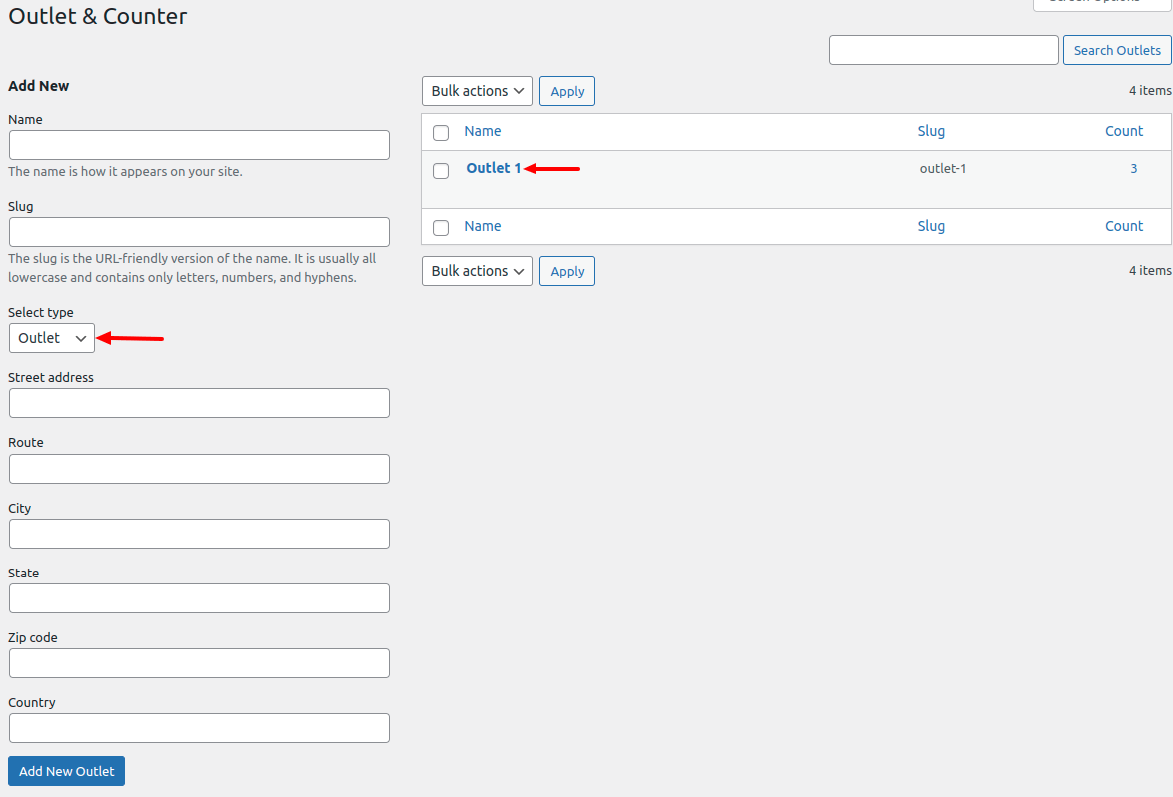
Image 02
- As shown in the image below, all of the Outlets added by the user are listed here. The user can update the outlet by clicking “edit,” or delete it by clicking “delete.”
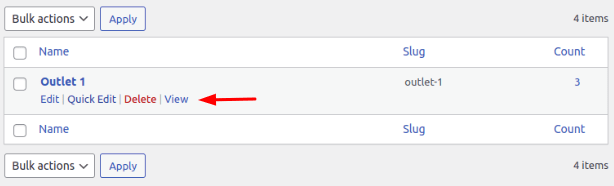
Image 03