
In POS Ninja Dashboard the data is displayed in the graphical format. We can see the report of the Orders, Products and Counters.
To Go to the “POS Ninja Dashbaord” click on Chart Icon from the POS front end.
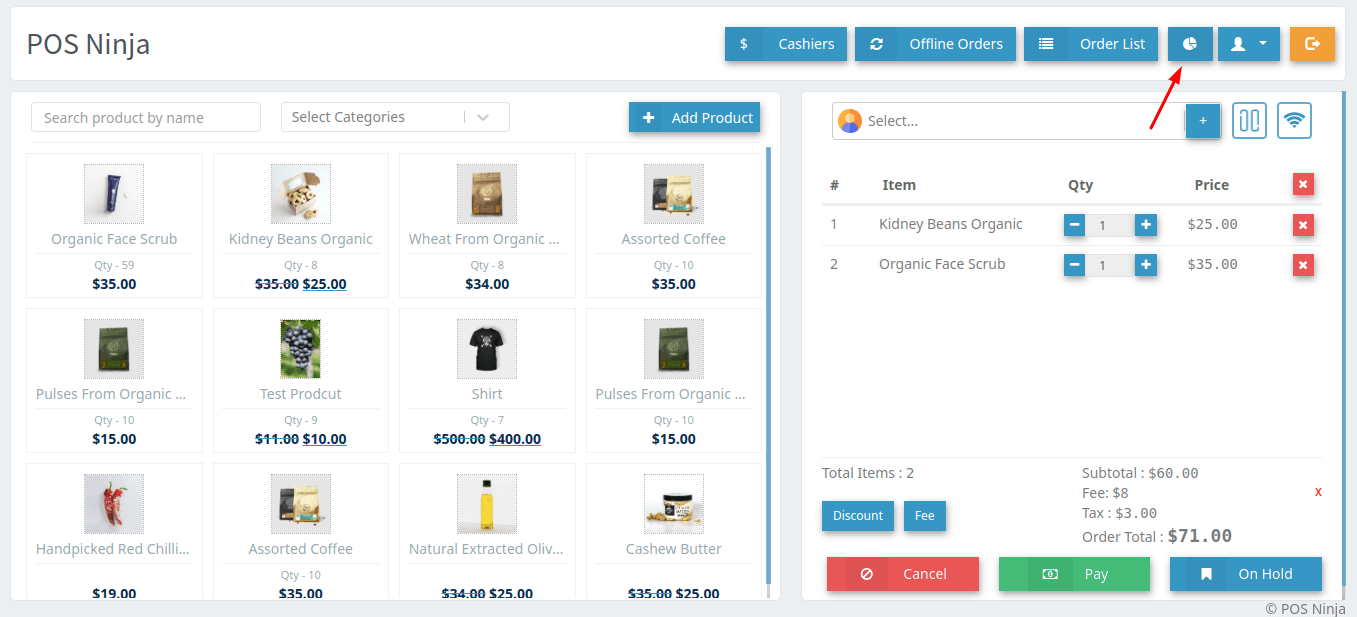
Image 1
Dashboard will be displayed like the below image.
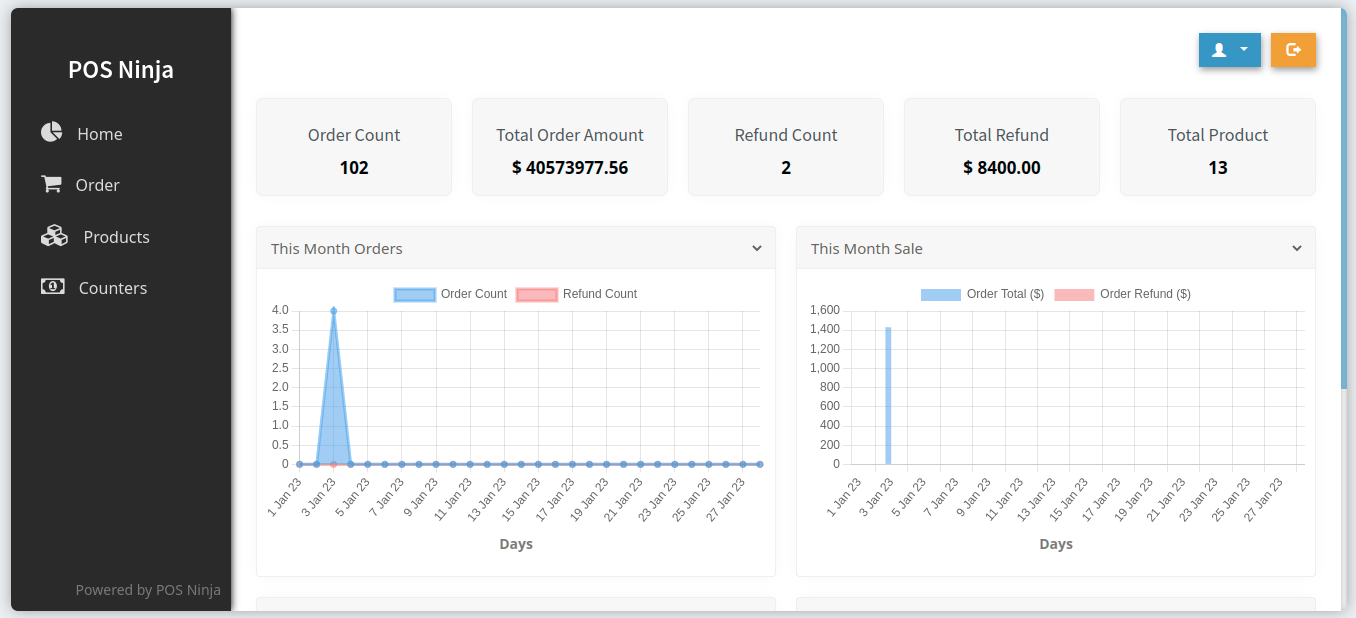
Image 2