
After install our module goto setting and enable developer mode.

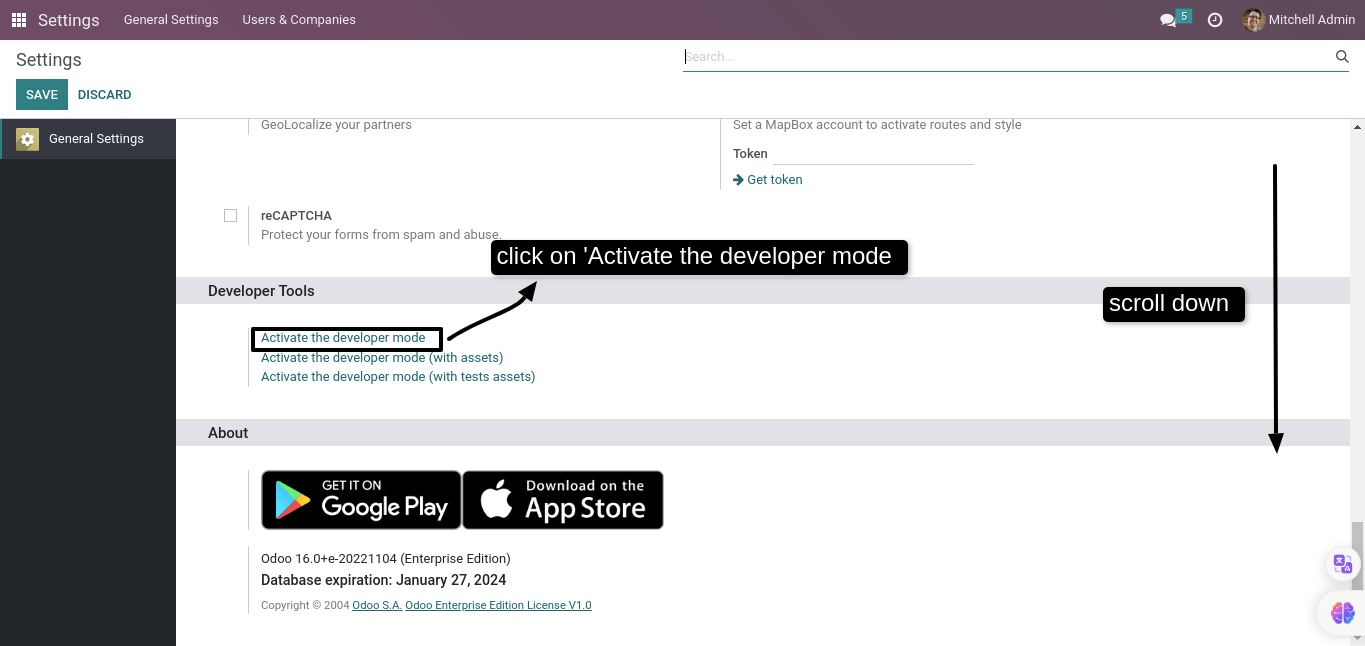
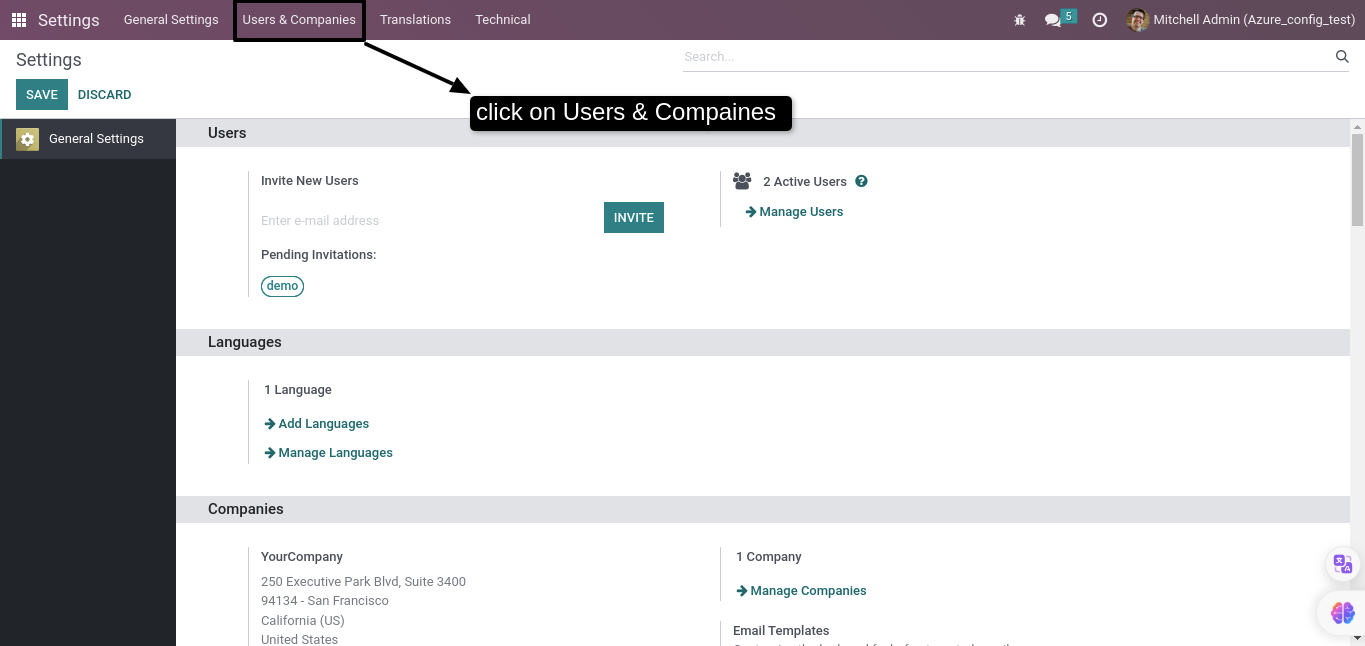
After enable developer mode, goto User and Companies there you will find the
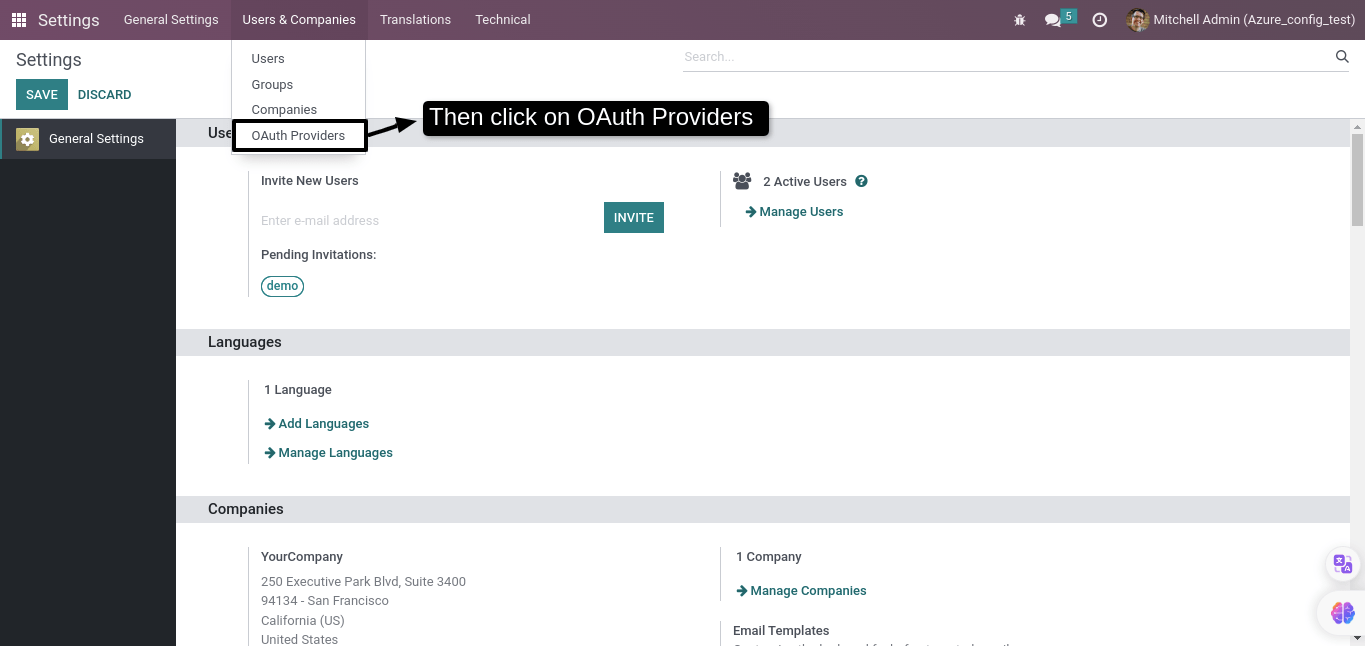
option of OAuth Providers select that option.
Then, In provider page select the Microsoft OAuth2
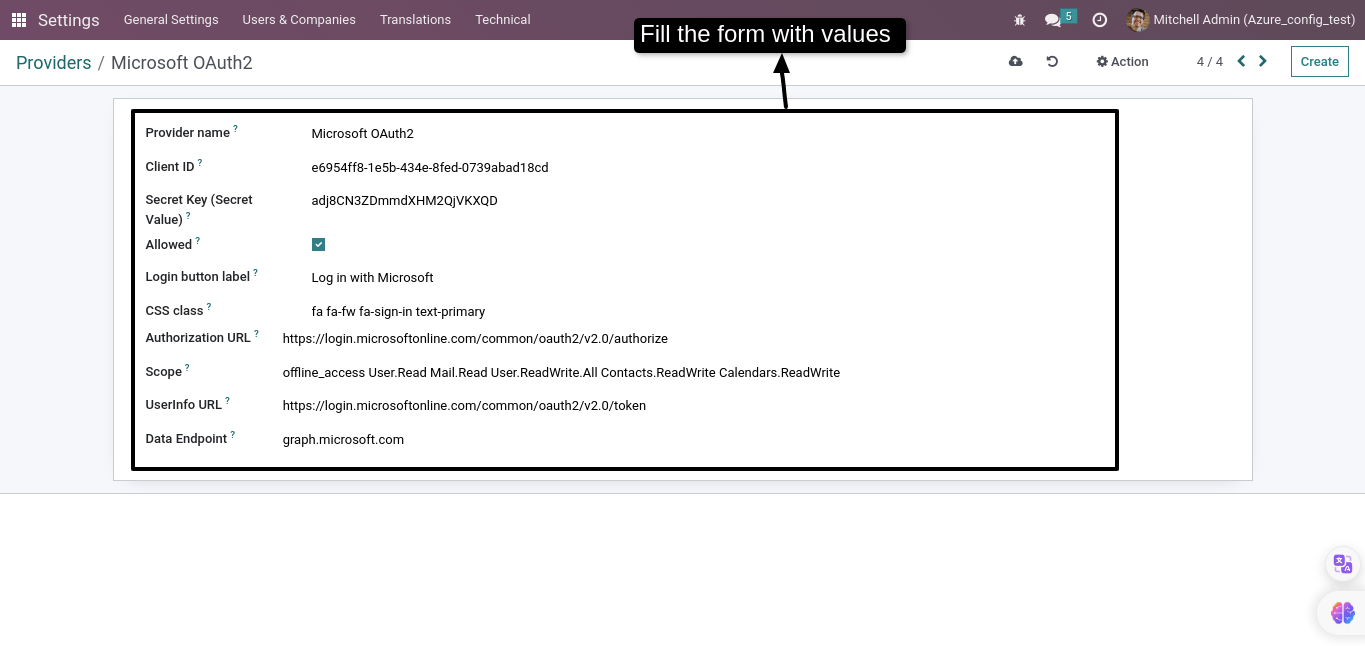
In Microsoft OAuth2 page fill the form if it’s not already filled
values are give below that we have to fill in the form
- Provider name: Microsoft OAuth2
- Client ID: {copy from the azure application client id}
- Secret Key (Secret Value): {previously copied from the azure secrets value}
- Allowed: True
- Login button label: Log in with Microsoft
- CSS class: fa fa-fw fa-sign-in text-primary
- Authorization URL:
https://login.microsoftonline.com/common/oauth2/v2.0/authorize - Scope: offline_access User.Read Mail.Read User.ReadWrite.All
Contacts.ReadWrite Calendars.ReadWrite - UserInfo URL:
https://login.microsoftonline.com/common/oauth2/v2.0/token - Data Endpoint: graph.microsoft.com
Now it’s configuration is done in the odoo to test it. Logout from the current user
and signin with microsoft sso then select the account or signin your account and
then you will automatically login with your azure user account in the odoo.