Utility:- The total value or satisfaction that a consumer derives from purchasing and using a service or product is referred to as utility. In brief, the quality or property of being useful.
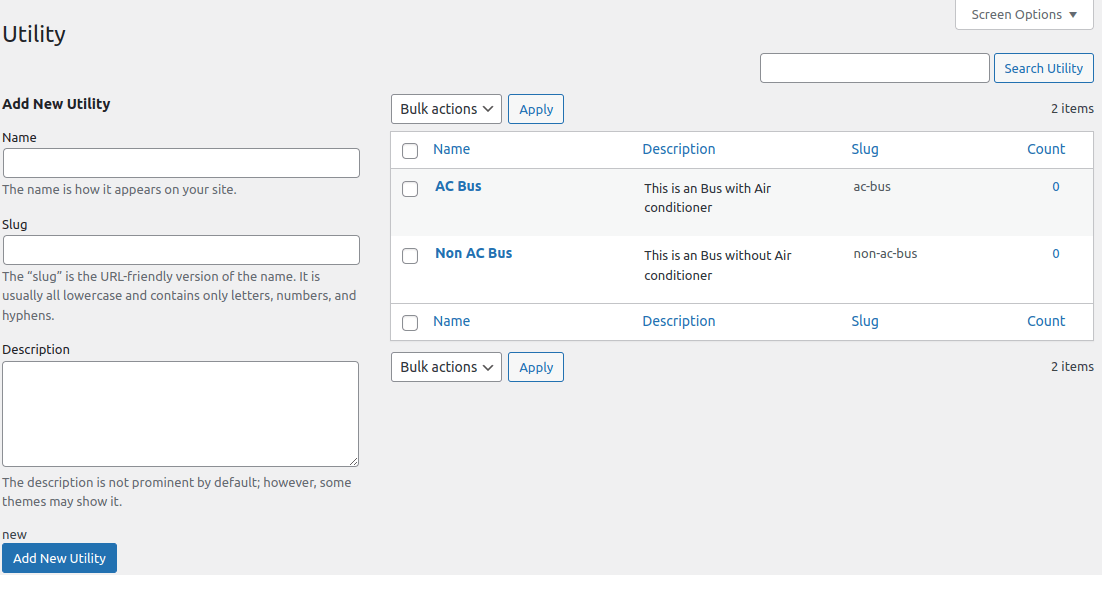
For instance- If it is a car rental, then some of its utilities include a car with air conditioning (AC car) and a car without air conditioning (Non AC car).
Just fill up the details for utility and it will appear in the right pane as shown in the attached image.
Once you Added Utility successfully , Go to Booking Management > Edit any bookable product > Click on the “Utility” tab
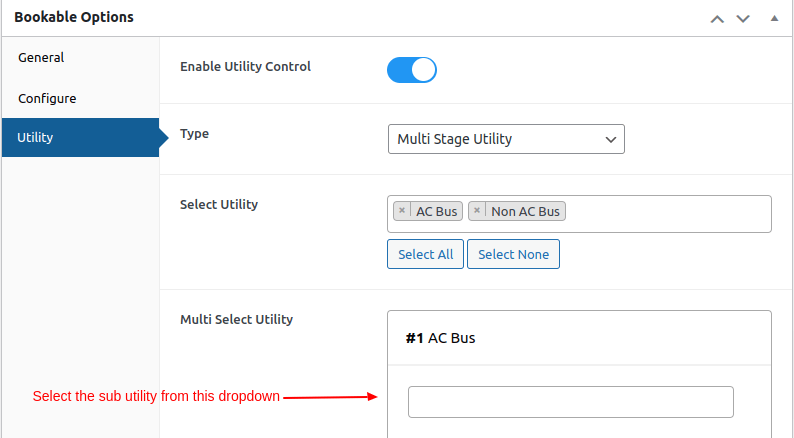
Enable Utility Control – Enable this option to control the utilities
Type of Utility – Select the utility from the dropdown as per your requirement.
1. Single Stage Utility – Select this option if you want to assign the Single utility.
2. Multi-Stage Utility – Select this option if you want to assign sub-utilities to the main utility.
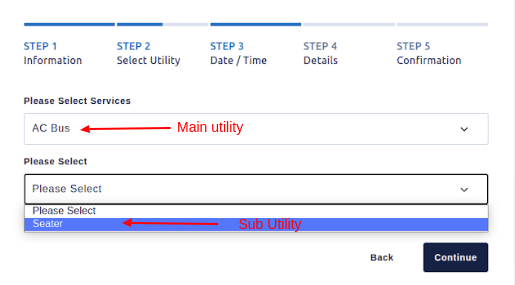
As you can see in the image below, the main utility is AC, and the sub-utility is Seater.
On the front end, Multi-Stage Utilities appear as shown in the image below.