
In general tab we can set the google api key, enable auto complete,label text, store address, Travel mode, Route Restriction, Enable Debug log, Enable all Matching Cost
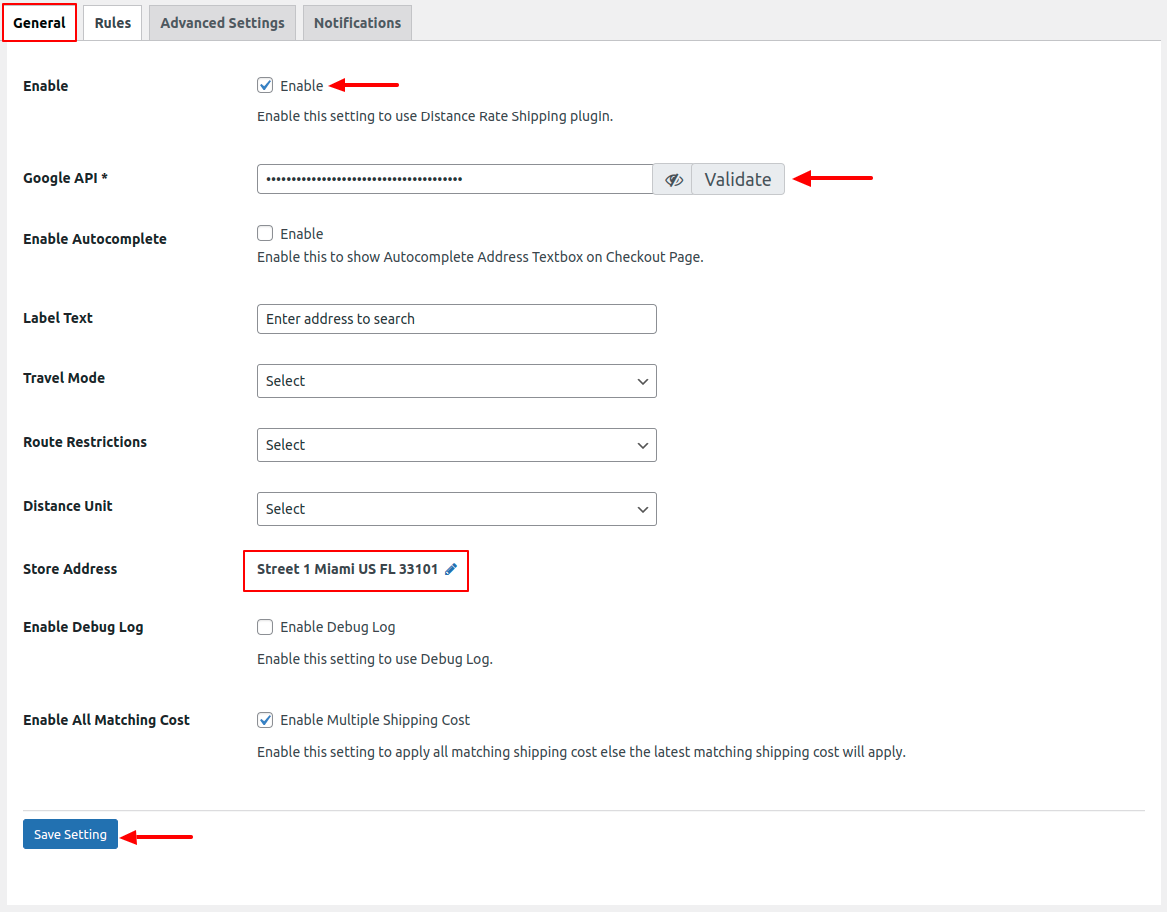
Image 1
- Travel Mode: The Admin has the ability to choose the “Travel Mode,” which determines the mode of transportation used to calculate the distance. This selection will be reflected on the front end, allowing users to see the distance based on the mode chosen by the Admin

Image 2 : Travel Mode
- Route Restrictions: The administrator can choose any route restrictions shown in the image below. The distance is calculated based on the travel mode selected by the user, and this value is then displayed on the front end.
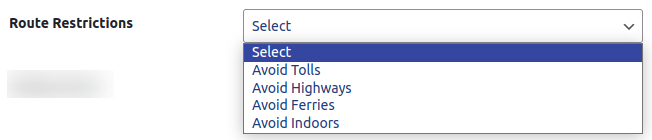
Image 3 : Route Restrictions
- Distance Unit: Admin can choose distance unit and it will then reflected on the front end.

Image 4 : Distance Unit
- Store Address : This feature allows for the calculation of the distance between the “Store Address” and the “Destination Address” (Shipping Address).
- Enable Debug Log: Enabling this setting will allow for the utilization of the Debug log.
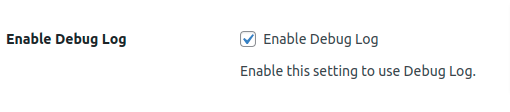
Image 5 : Debug Log
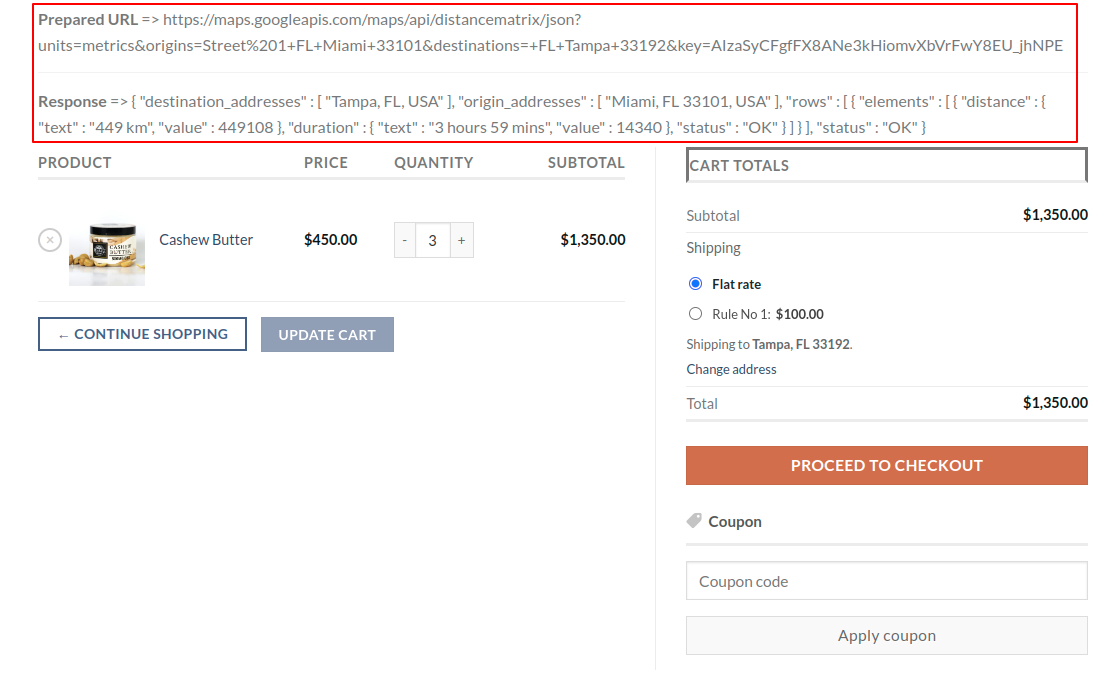
Image 6 : Debug Log Front End Details
- Enable All Matching Cost: Once this setting is enabled, all rules that fall under the destination to shipping address criteria will be applied on the front end.

Image 7 : All Matching Cost
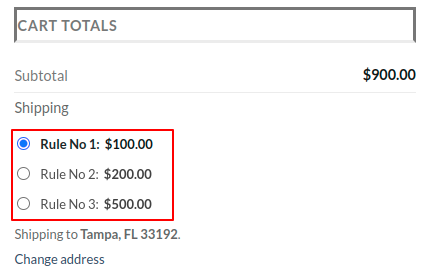
Image 8 : All Matching Cost Front End details
- The distance can be seen on the front end as shown in the image below.
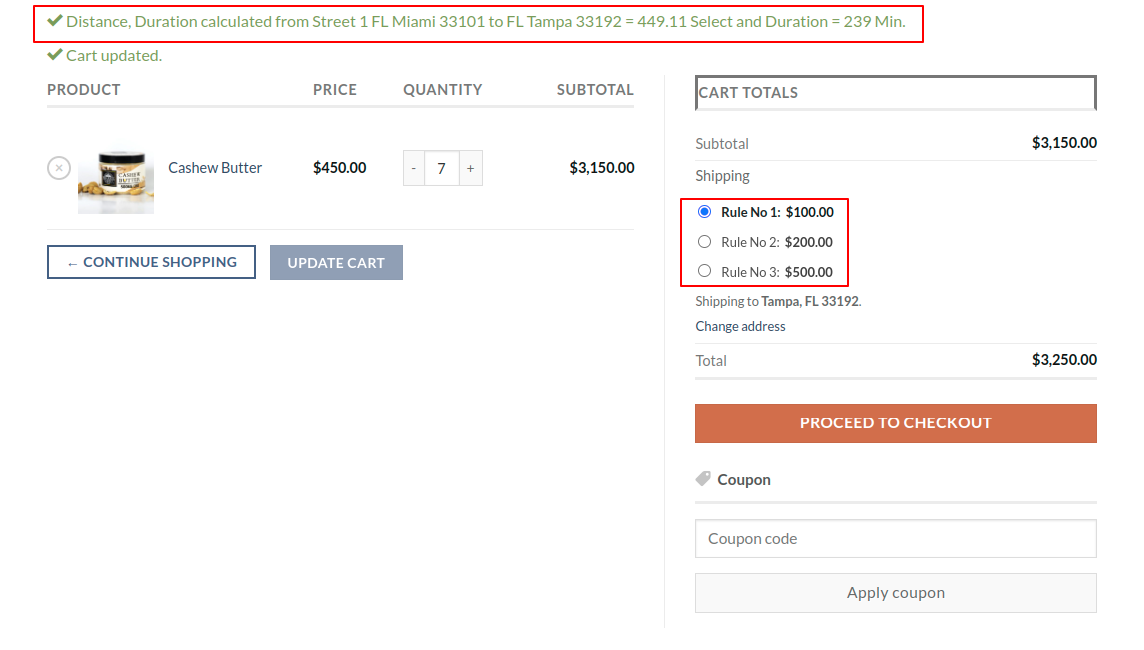
Image 9 : Front End Details