
Here we will see the plugin setting in detail.
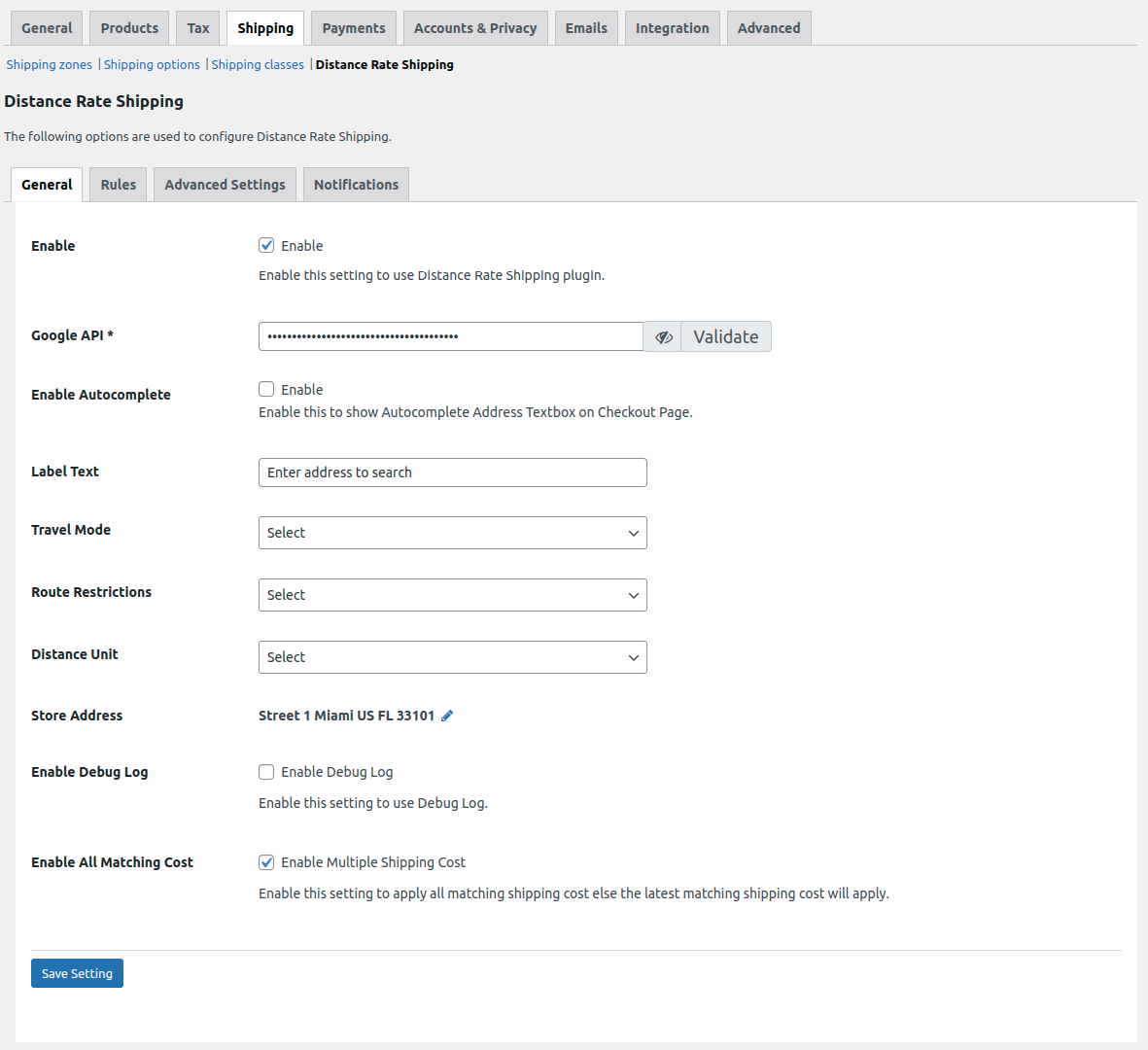
1. Enable:- Activate the functionality of the shipping plugin so that shipping rates are calculated and added to orders based on predefined rules when products/items are ordered.
2. Google API:- To calculate the distance and duration between the shipping/billing address and the WooCommerce store address/warehouse address, the Plugin utilizes the Google Maps Distance Matrix API. Thus, the Google Maps API is a mandatory requirement for the proper functioning of the Plugin.
To obtain a Google Maps API Key, follow these steps:
-
-
- Go to: https://console.developers.google.com project and sign in with your Google account.
- On the Dashboard screen, click the Library link from the left-hand menu. Then search for and click Google Maps Distance Matrix API.

- Click on the Enable button.


- Then Create to create a new project

- Give your new project a name, i.e., Distance Rate Shipping, and then click Create.
- Click the Enable API button, then click the Credentials tab from either the left-hand menu or the banner across the top.

- Click Add credentials and choose API key.
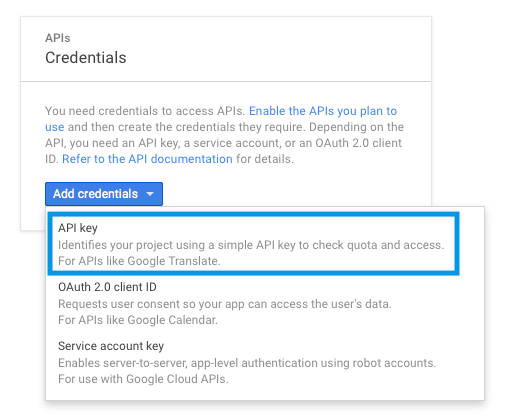
- A window will pop up, with your new API key. Make sure the restrictions are set to None and Don’t restrict the key.
- Copy the API key generated in the pop-up box and keep it as you will need to enter this in the Google API textbox.
- Clicking on Validate will check if the entered API key is valid or not.
-