
By defining Shipping Rules based on Shipping Zones, we can apply them on the front end as per the shipping address.
How to Create a Shipping Rule according to the Shipping Zone:
Go to Woocommerce Setting >> Click on Shipping >> Click on Shipping Zones
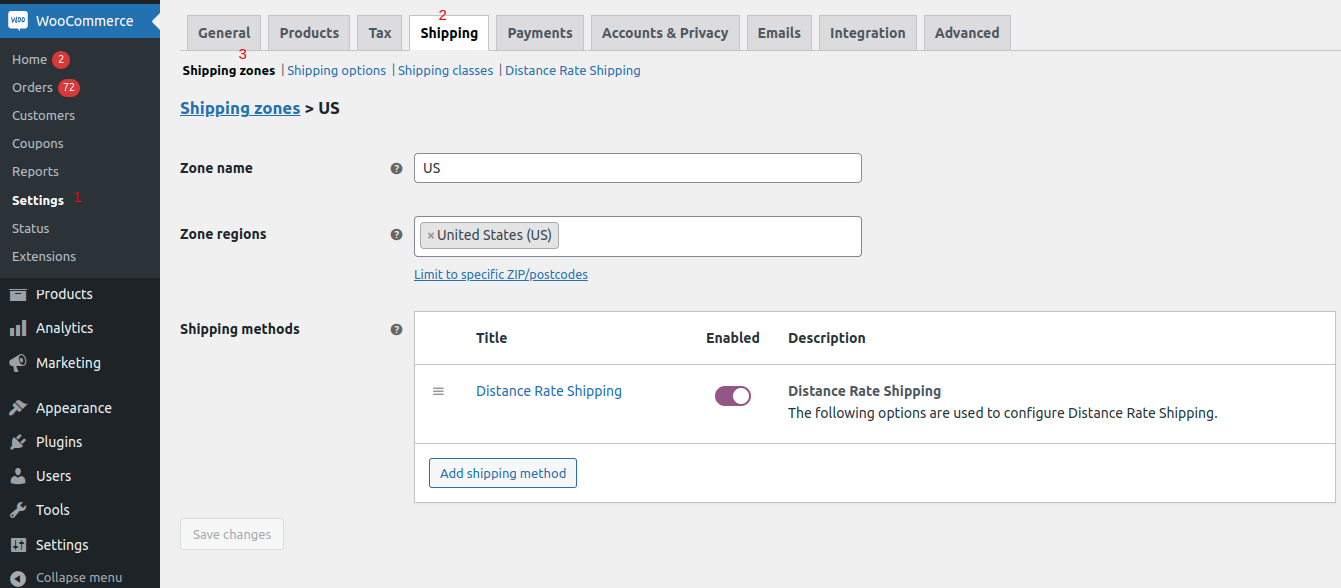
Image 01
Then Edit the Added Shipping Method.
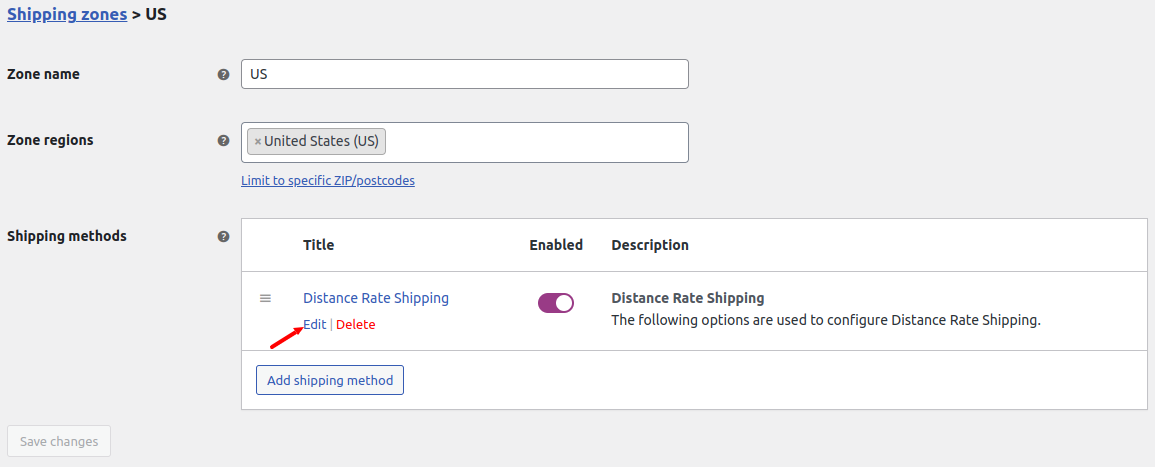
Image 02
After click on the Edit. It will redirected to Create Rules page.
Admin can create a rule on the Create DRS Rules.
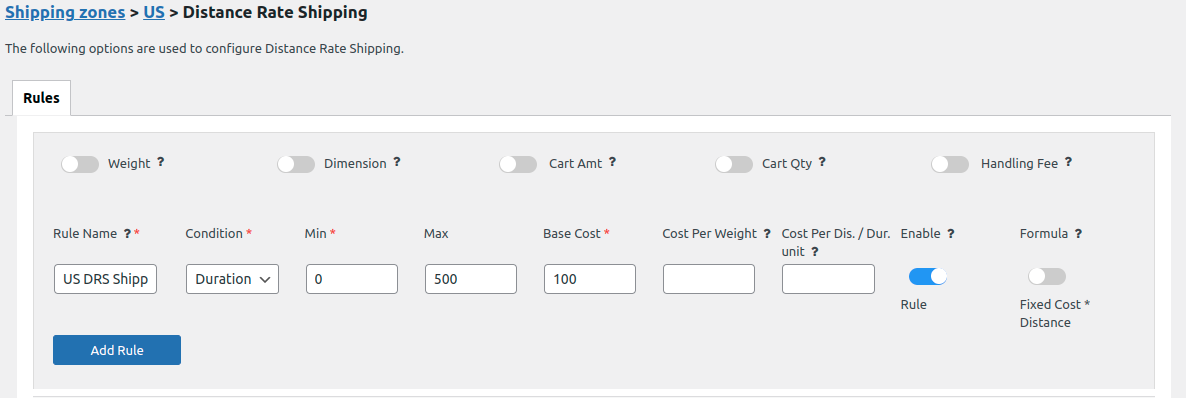
Image 03
Created rule will be applied on the front end based on the shipping address.
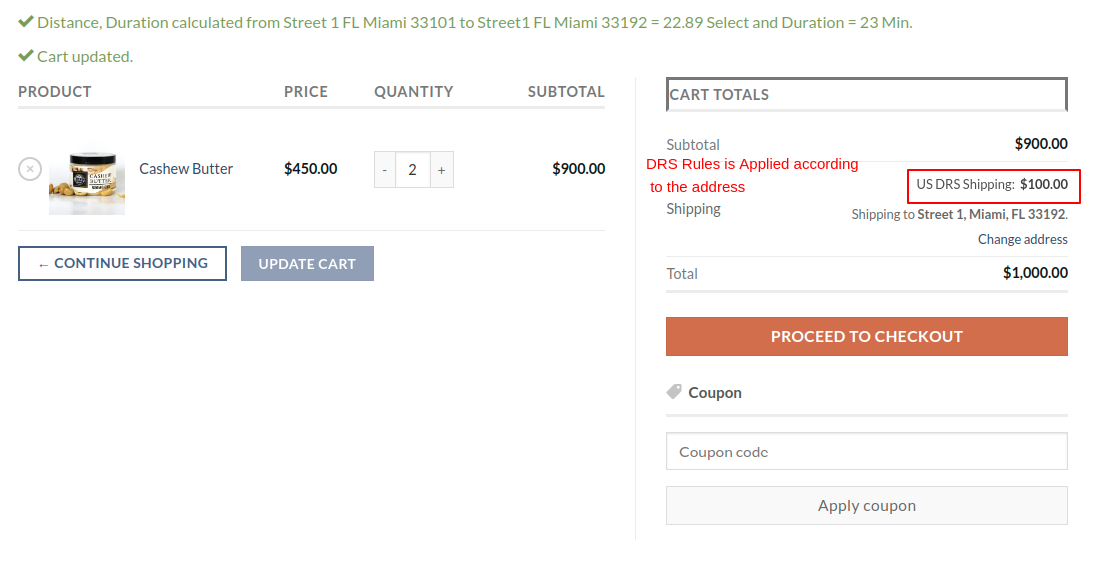
Image 04