Making Local Delivery Easier for Administrators: Choose Dates, Pick Days, and Set Times with No Fuss!
For those in charge, our system lets you easily handle Local Delivery. You can decide when deliveries happen by selecting dates, choosing the days you want, and setting specific times. It’s simple, convenient, and all in one place.
when you want to choose particular days or dates and add specific time slots, go to the local pickup settings.

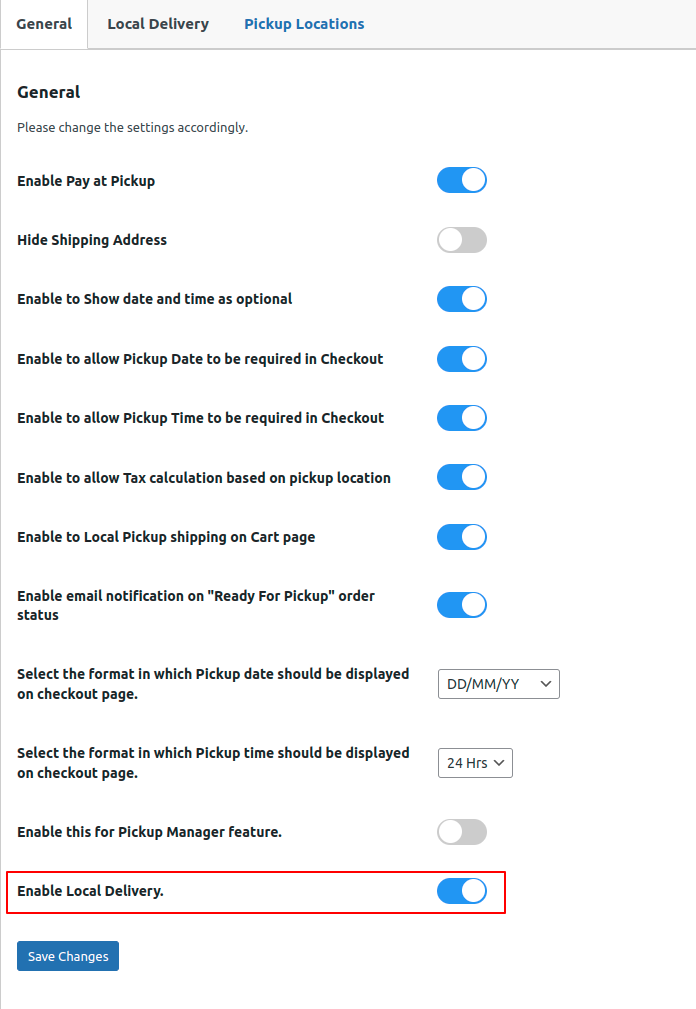
Navigate to the local pickup settings and enable the setting “Enable Local Delivery” click on save changes button.
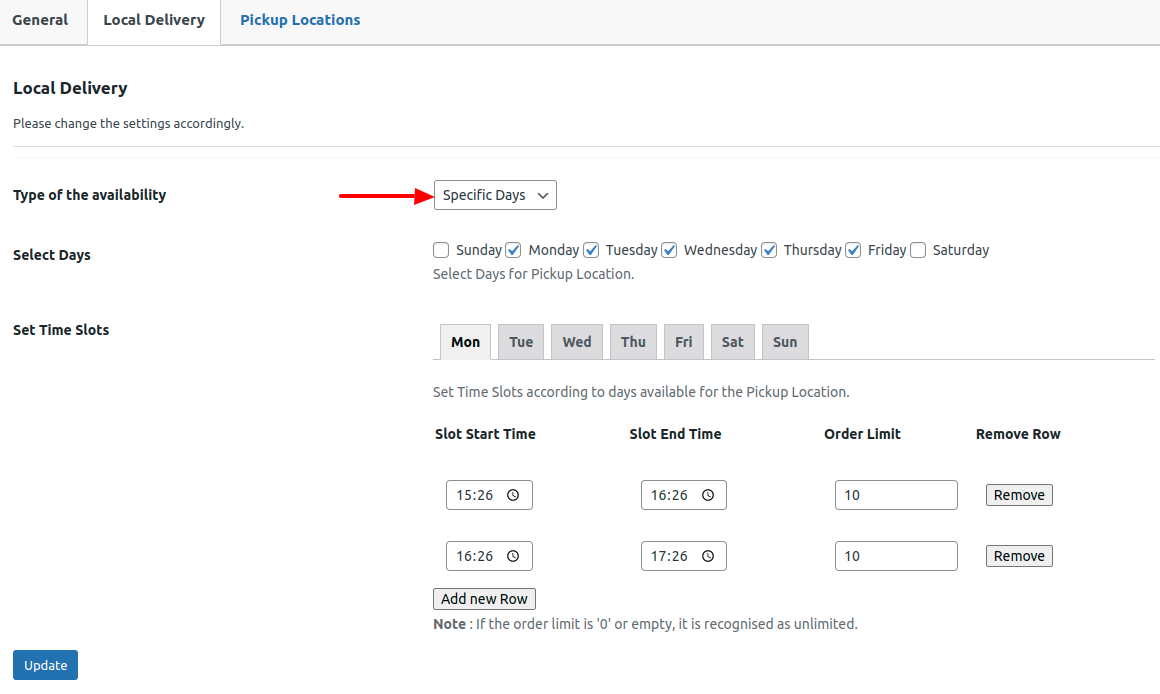
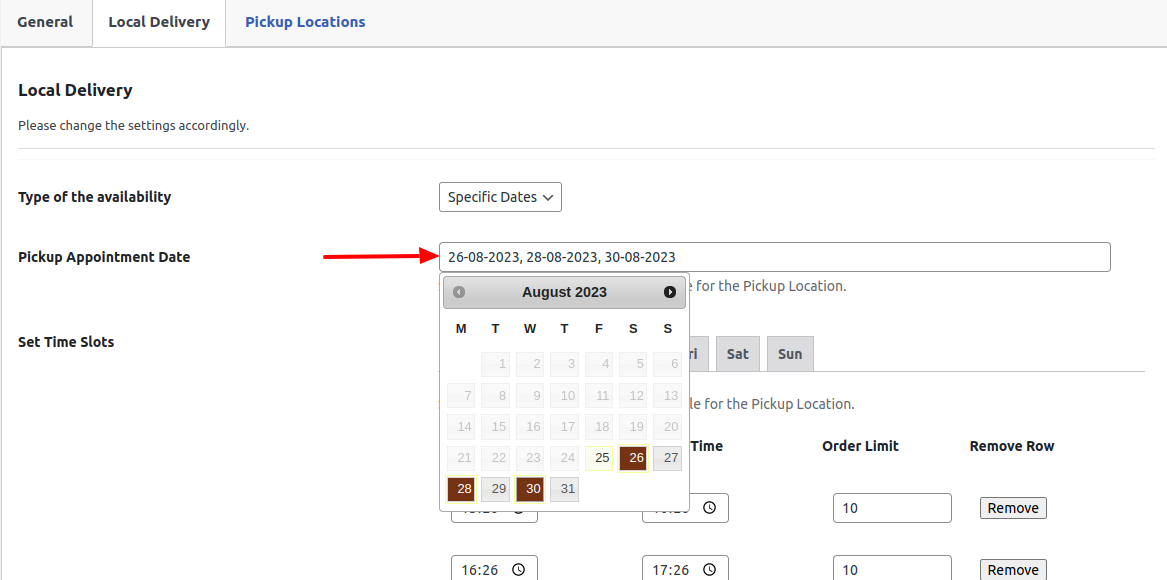
Select the “Local Delivery” option to include the available time slots for specific days and dates.
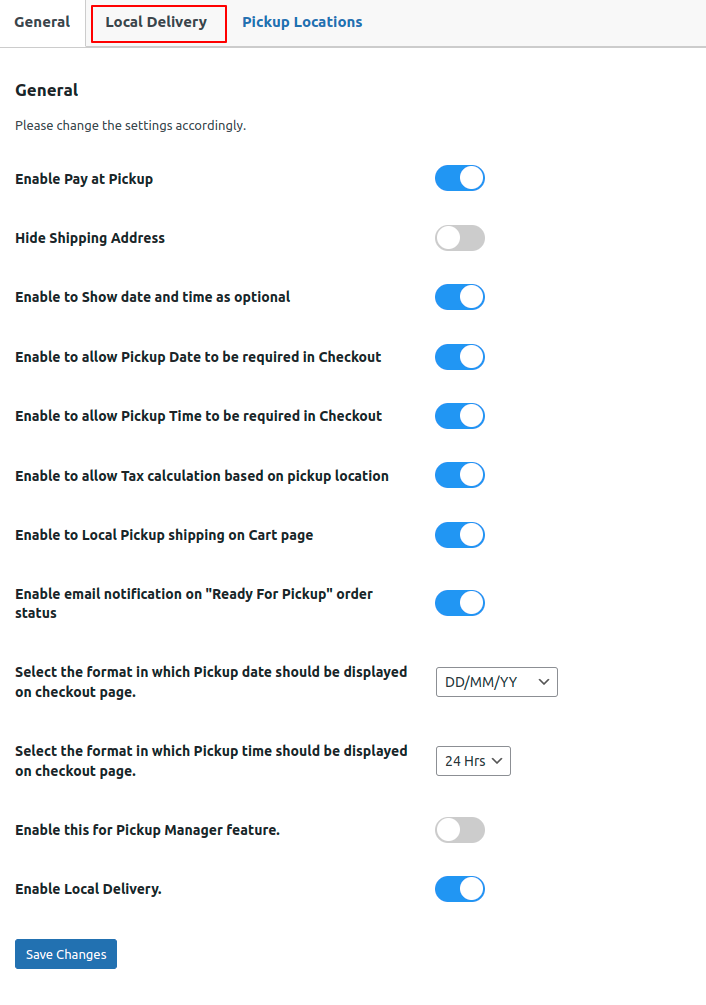
Within the local delivery section, administrators have the ability to establish the days, dates, and time slots that clients can conveniently choose from during the order placement process on the checkout page.
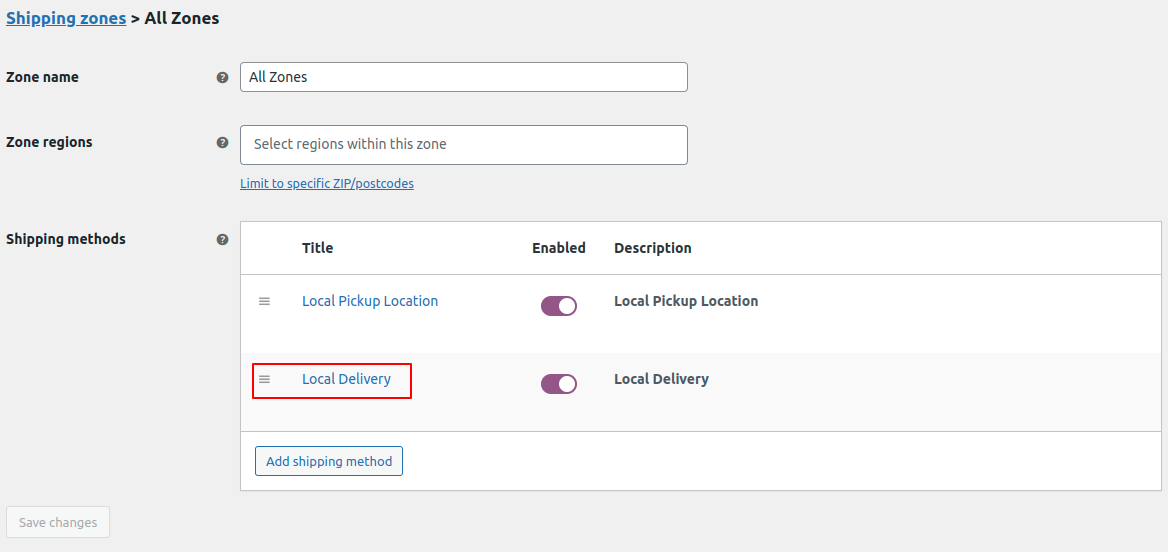
Make sure to include the Local Delivery shipping method within WooCommerce.
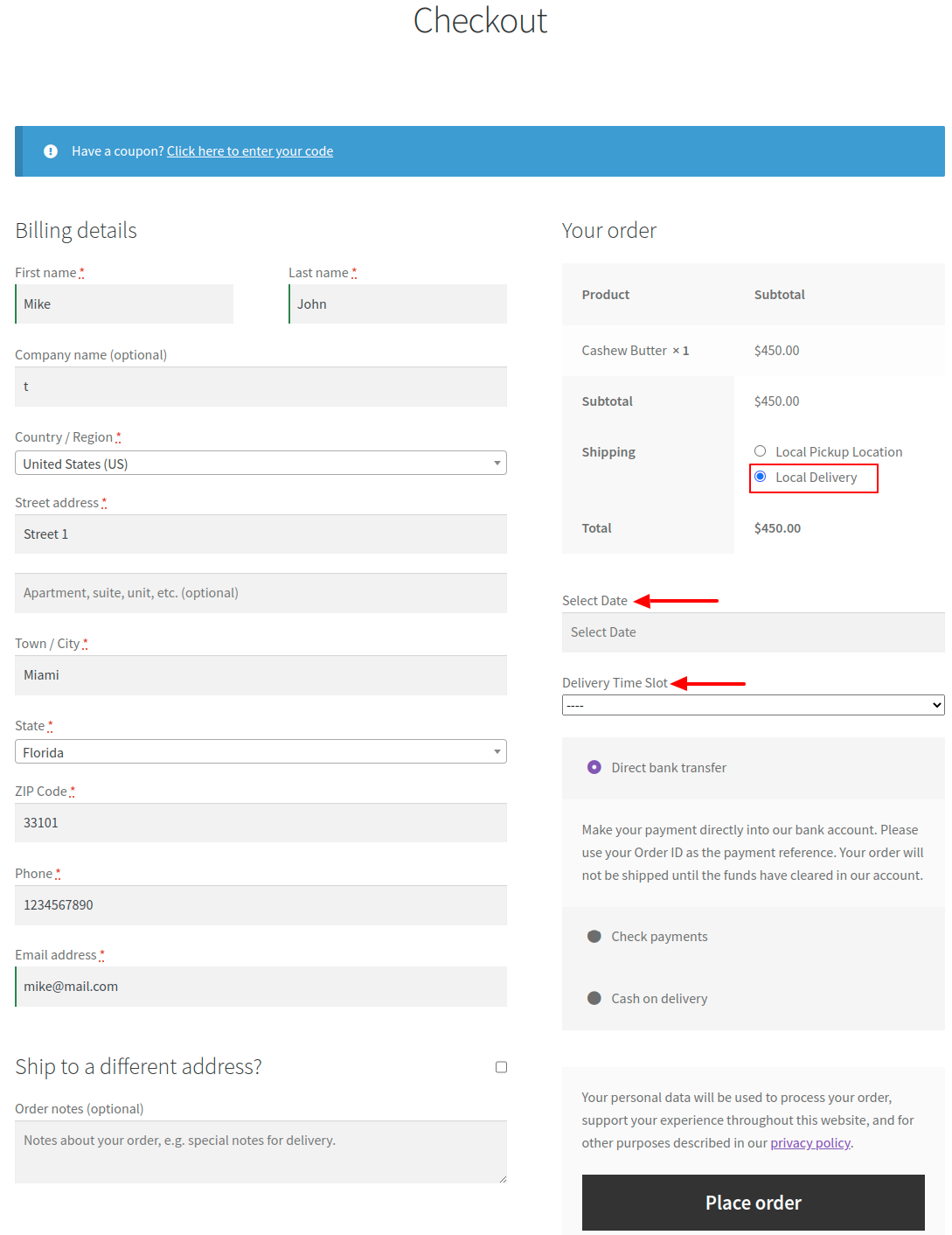
When customers choose the Local Delivery shipping method on the front end, they can then proceed to select their preferred date and time slot.
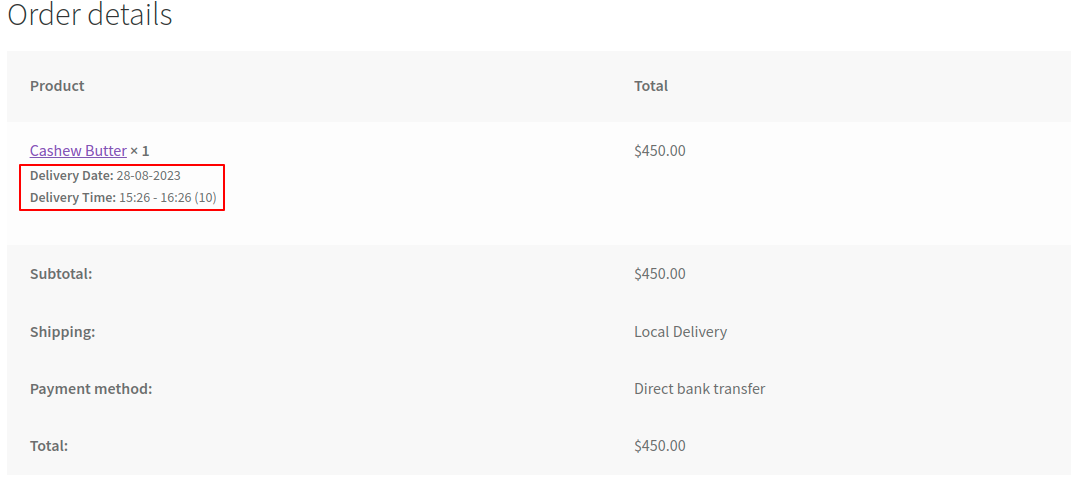
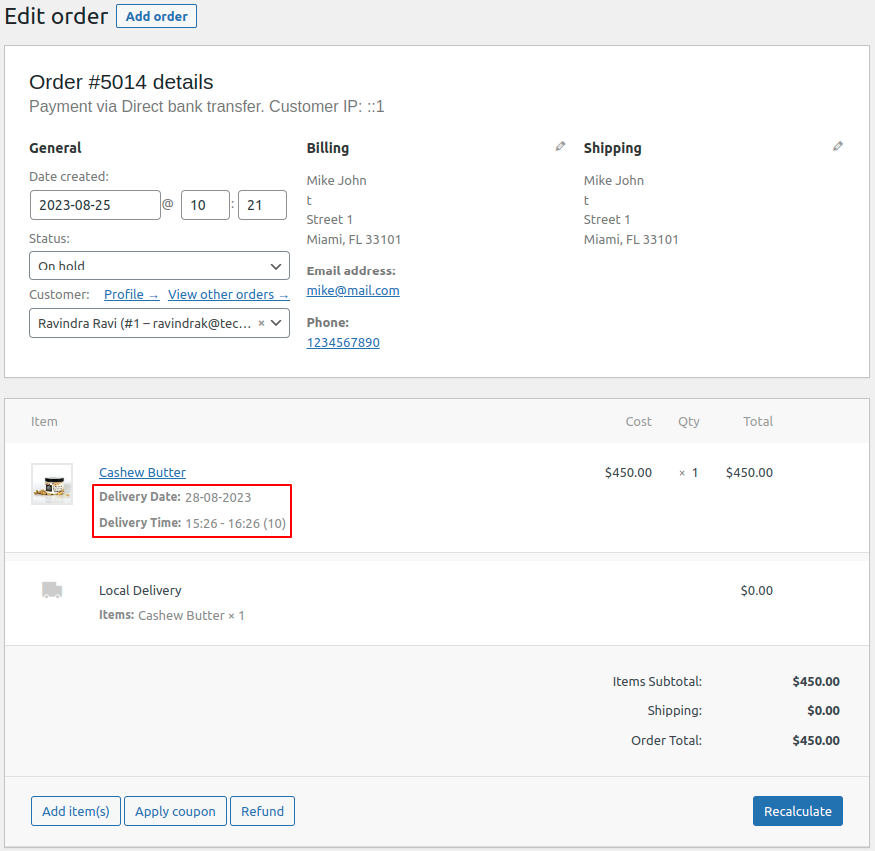
You’ll find the chosen date and time slot displayed on both the Thank You page and within the order edit page.