
Defining Pickup Locations in accordance with Shipping Zones enables us to implement them on the front end, depending on the shipping address.
A Comprehensive Guide to Adding a Pickup Location to Your Shipping Zone
To access the Shipping Zones, navigate to WooCommerce Settings, select Shipping, and then click on Shipping Zones.

Image 01
Next, modify the added Shipping Method.
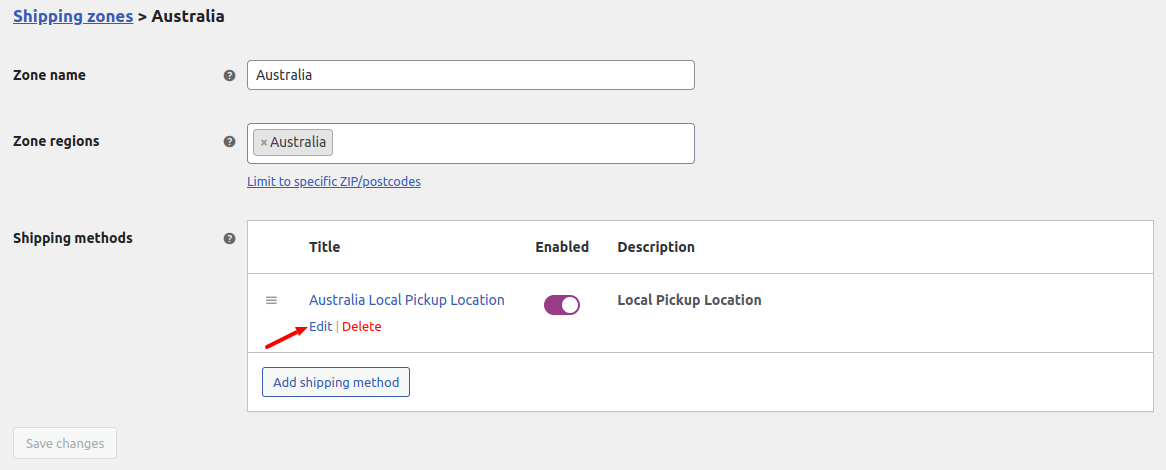
Image 02
Please select the location and click on the Save Changes button.
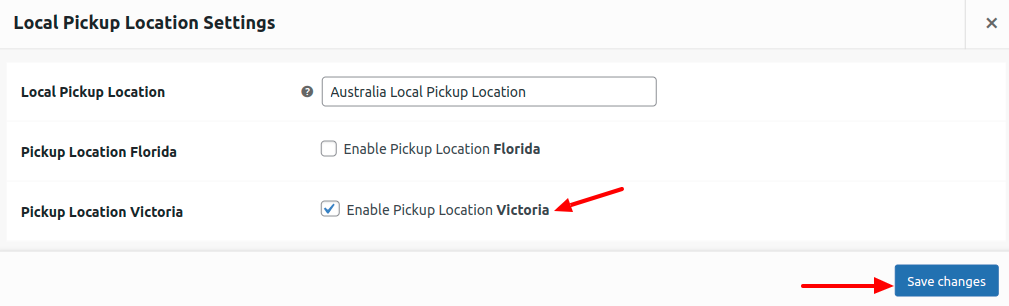
Image 03
The Location will be displayed on the front end based on the selected Shipping Zones.
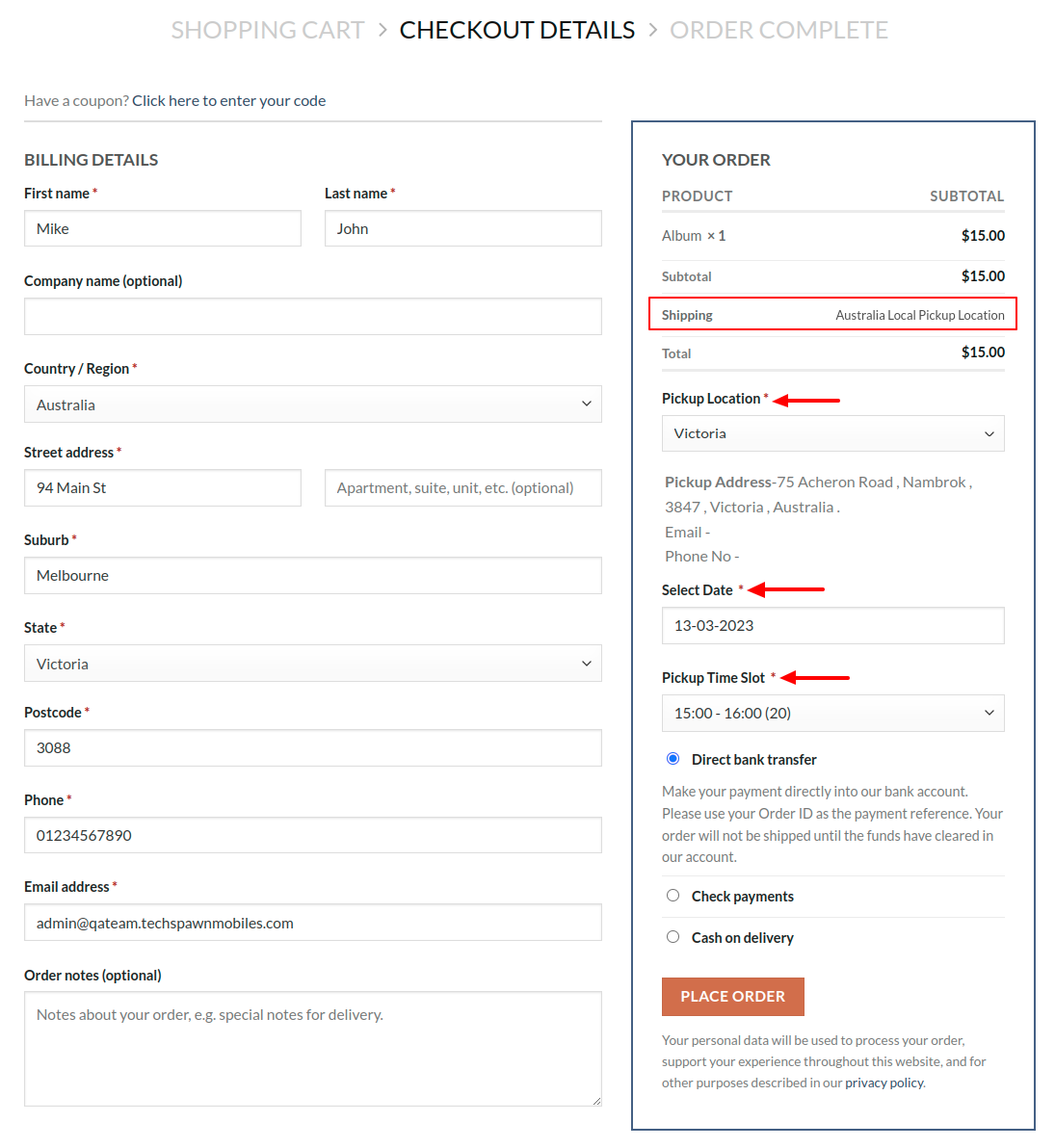
Image 04