
Split order from WordPress backend
Our StockUpp Split Order For WooCommerce plugin allows users to split orders from the WordPress backend. It allows you to specify the quantity for the split.
1. Go to Wocoomerce –> Select the order you wish to split and open that order.

2. When you open the order, you can see all the details of the order. Scroll down until you see the “Split order” button.

3 . To split the order, click on the button.
4. When you have an order that is only partially ready to ship or contains back-ordered items. You don’t have to keep the customer waiting with the StockUpp Split Order For WooCommerce simply move the delayed items to a new order and ship the products that are available.
When you click “Split order,” you can specify the quantity of product to be used in the new split order.
For eg :
The tshirt has 20 qty in the main order, but the admin wants to split the order, and the admin specified that the new split order contain 10 qty of the same product as you can see in the image below Specify how many of each item to add to the new Split order
 Enter Qty to Split as shown in the above image

Split Order and Parent Order
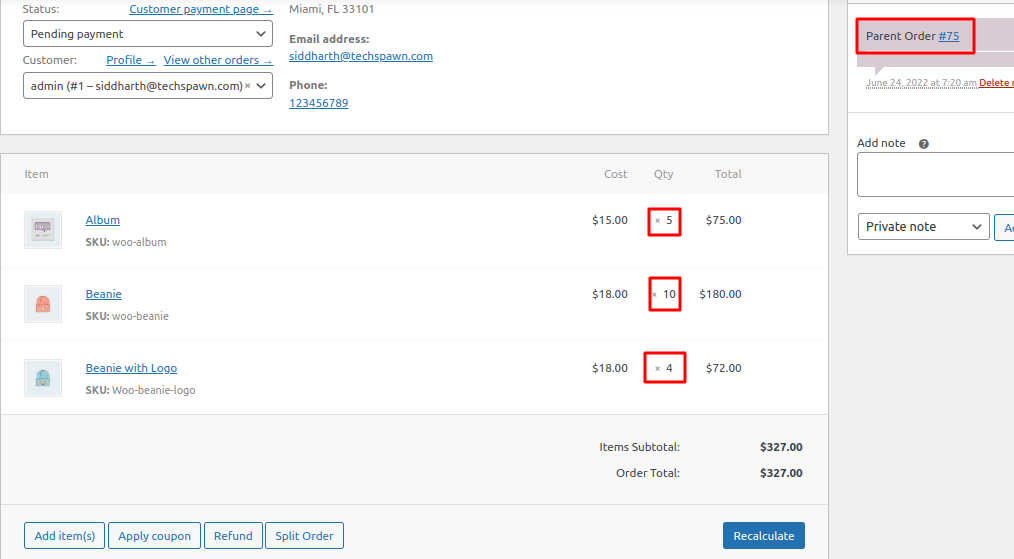
Link for Parent order in Split order