
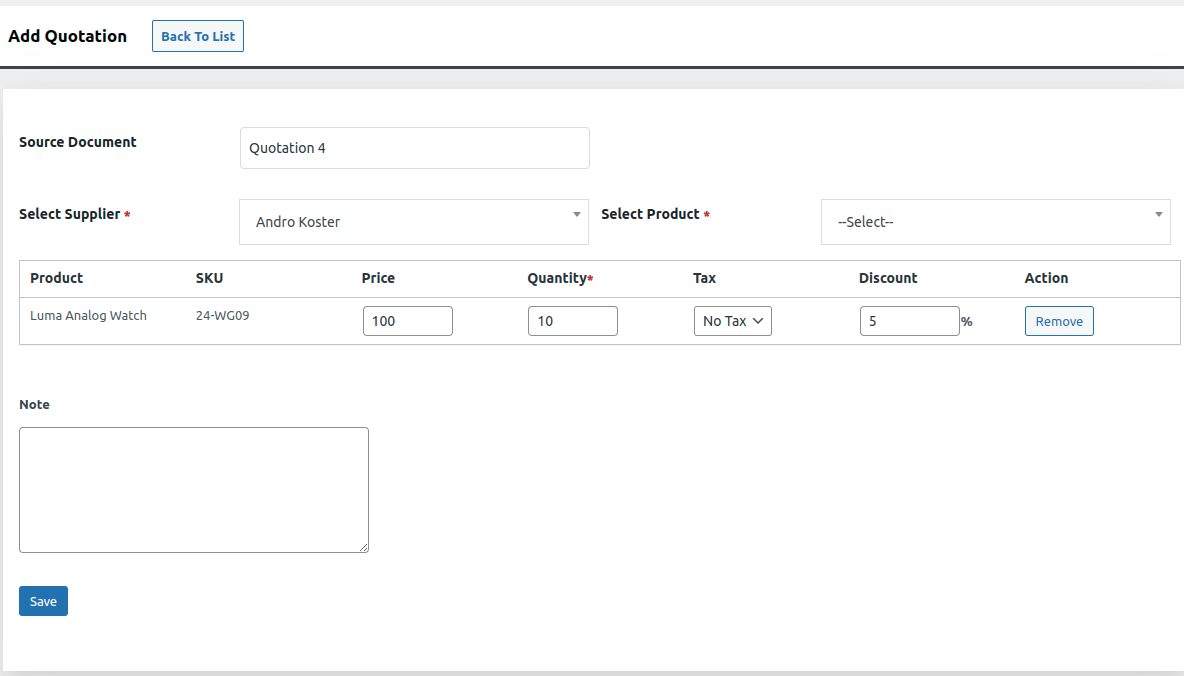
Image 1
Quotations
- Add, edit, delete & view Quotations
- Add Supplier to Quotations
- We can also generate a Quotation without selecting a supplier.
- Add Products to Quotations
- Add Location to Quotations (Compatibility)
- Confirm Quotation
- Discount: You can add the “Discount” to the desired product. Simply add the discount amount in the field. You can able to see the added discount in the Quotation list.
 Image 2
Actions button (view,print,email )
In Quotations their are more 3 features like view “PDF quotations”,”Confirm quotations”, “Email quotations”.This features are available after clicking on actions button of “view”–>> its a eye symbol, “print quotations”–>> its a print symbol,”mail of quotations”–>>its a mail symbol.This three buttons will redirect to the functionality of them after clicking.
Below are the three screen shots of 3 options which are provided in quotations & purchase order.
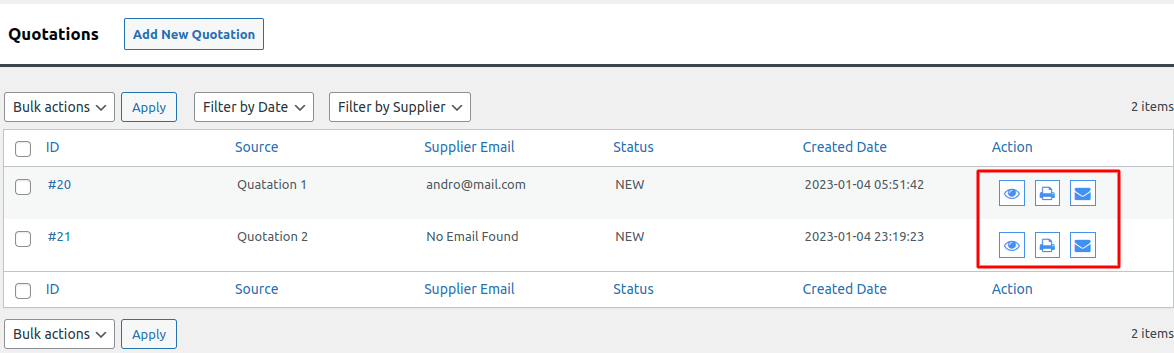
Image 3 : View, Print, Email buttons of Quotations
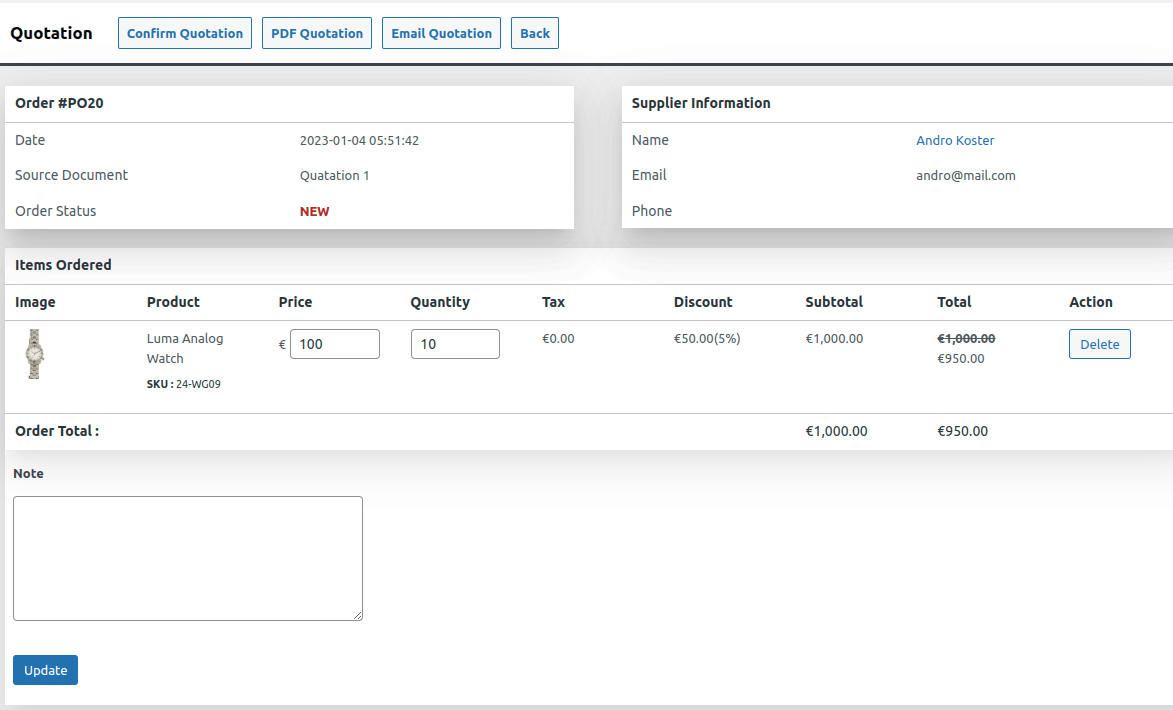
Image 4 : After clicking on eye symbol button
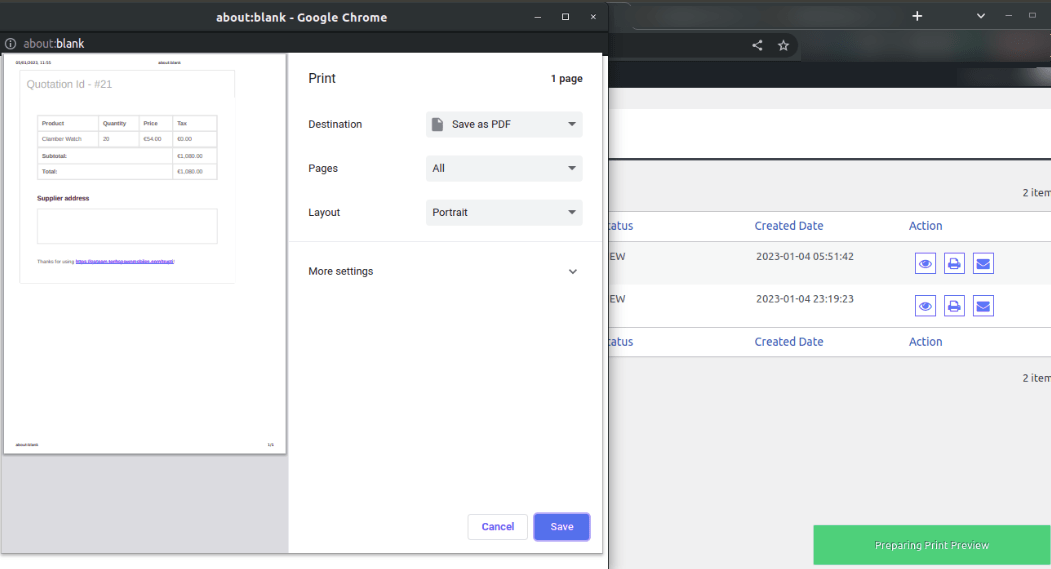 Image 5 : After clicking on print symbol.
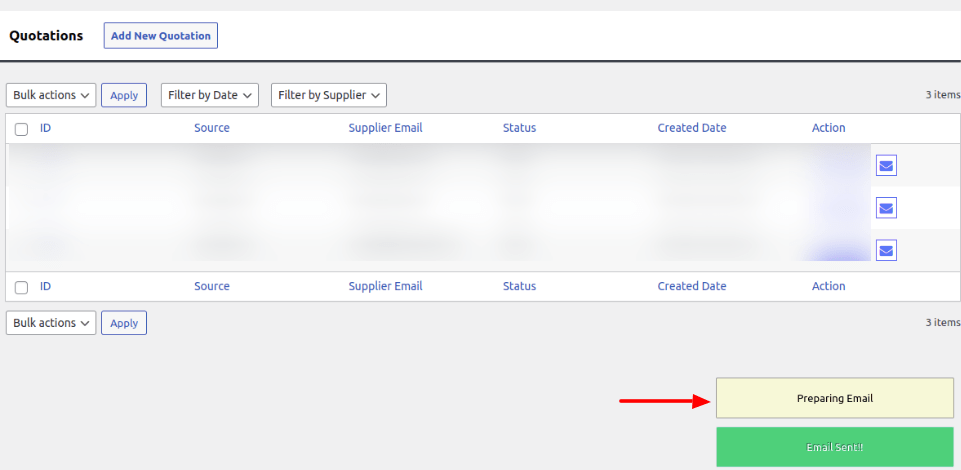
Image 6 : After clicking on the mail button you will get notification.
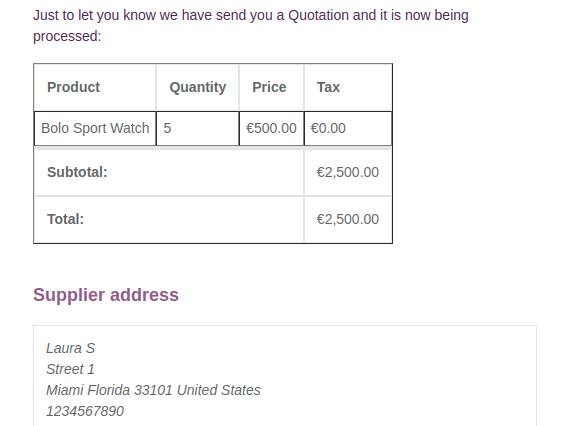
Image 7 : After clicking on mail symbol