- First go in “settings”

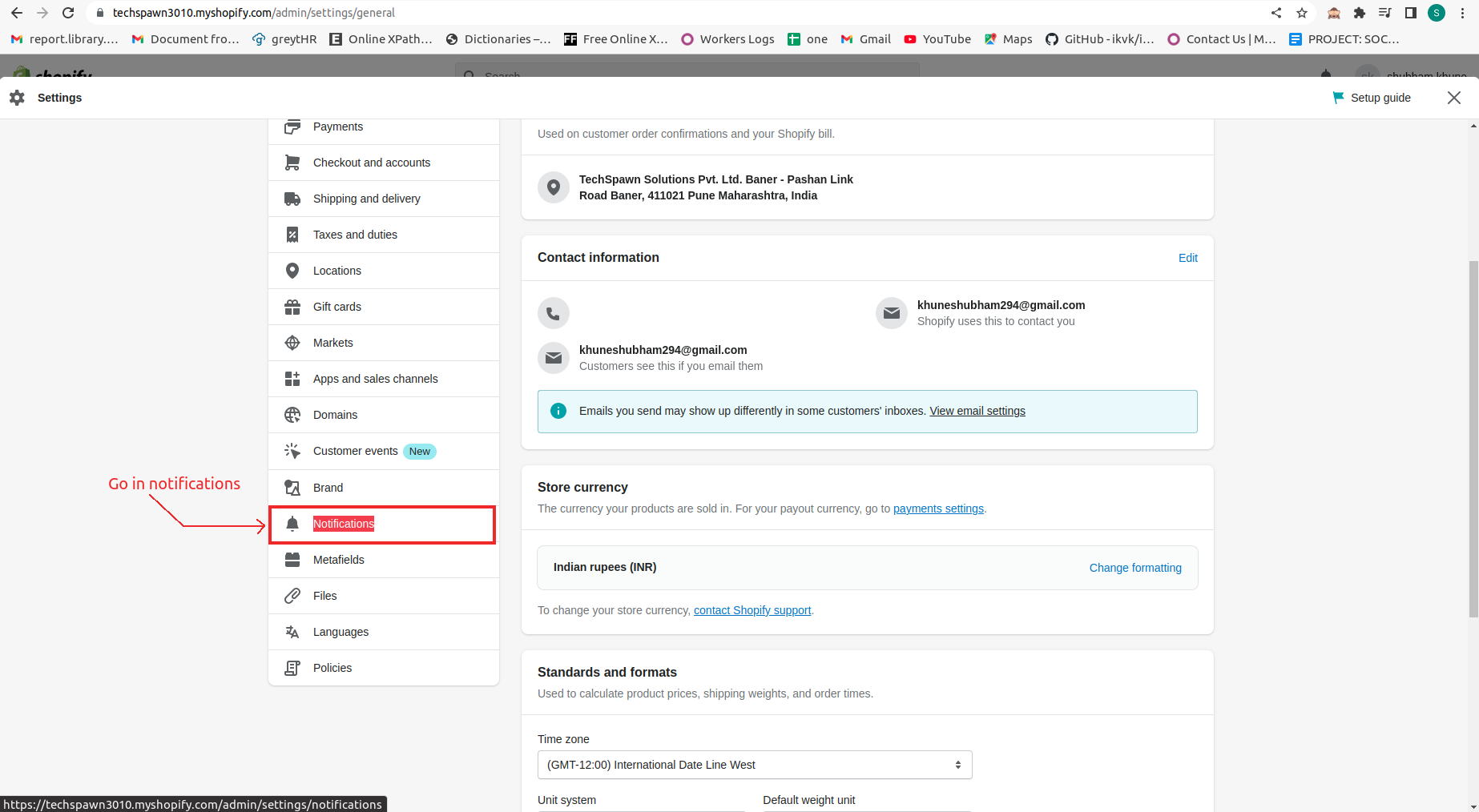
- Now, go in “Notifications”
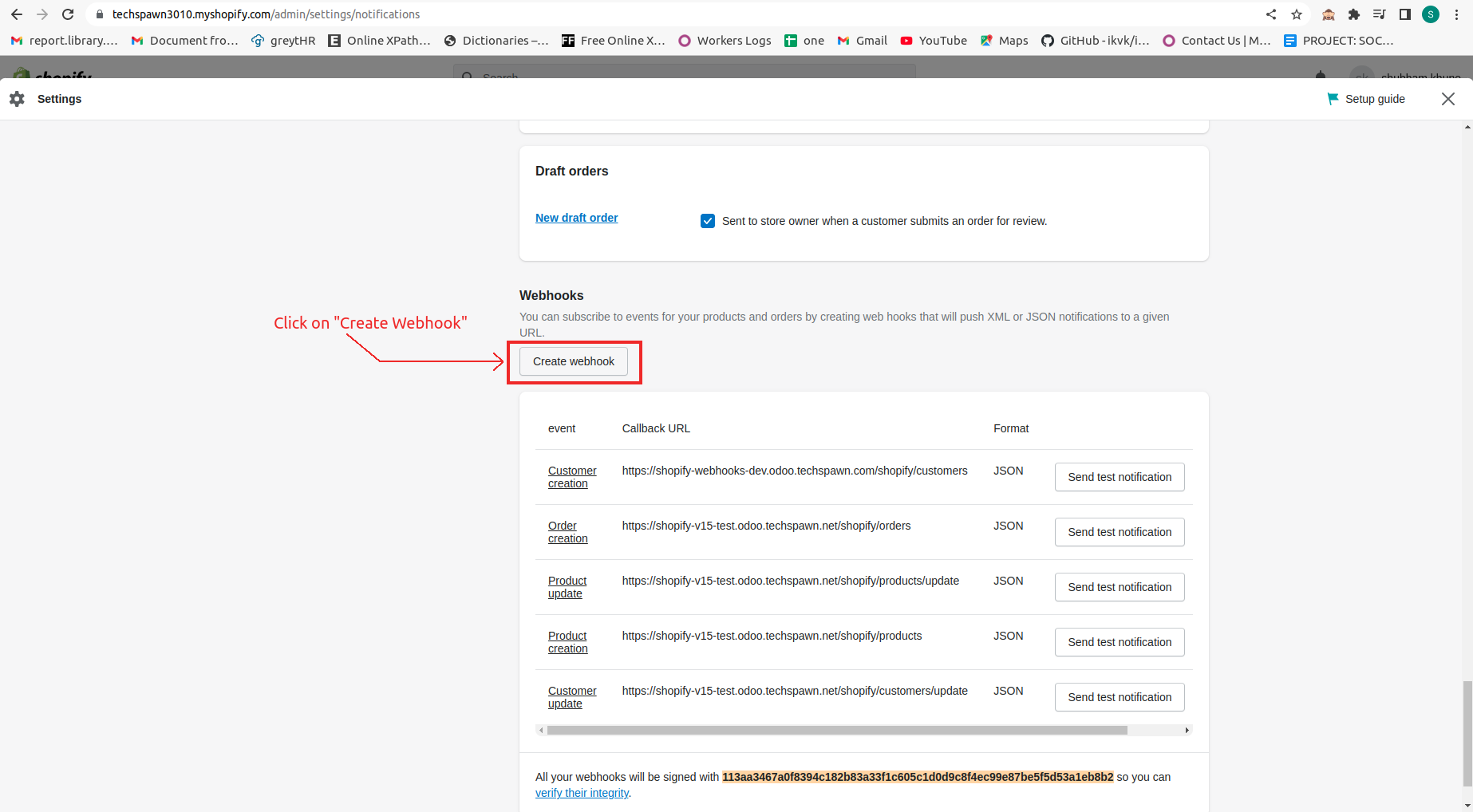
- click on “Create Webhook”
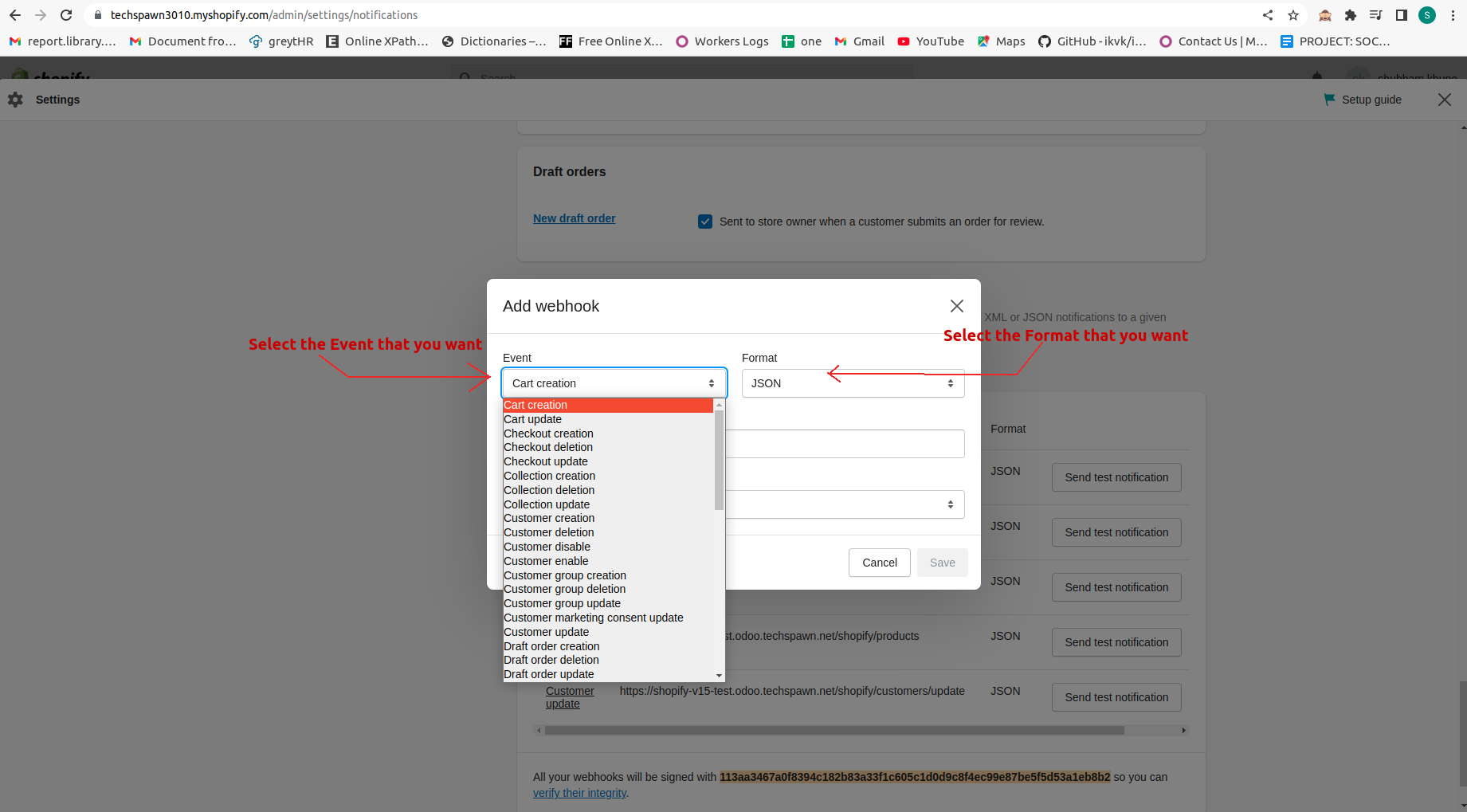
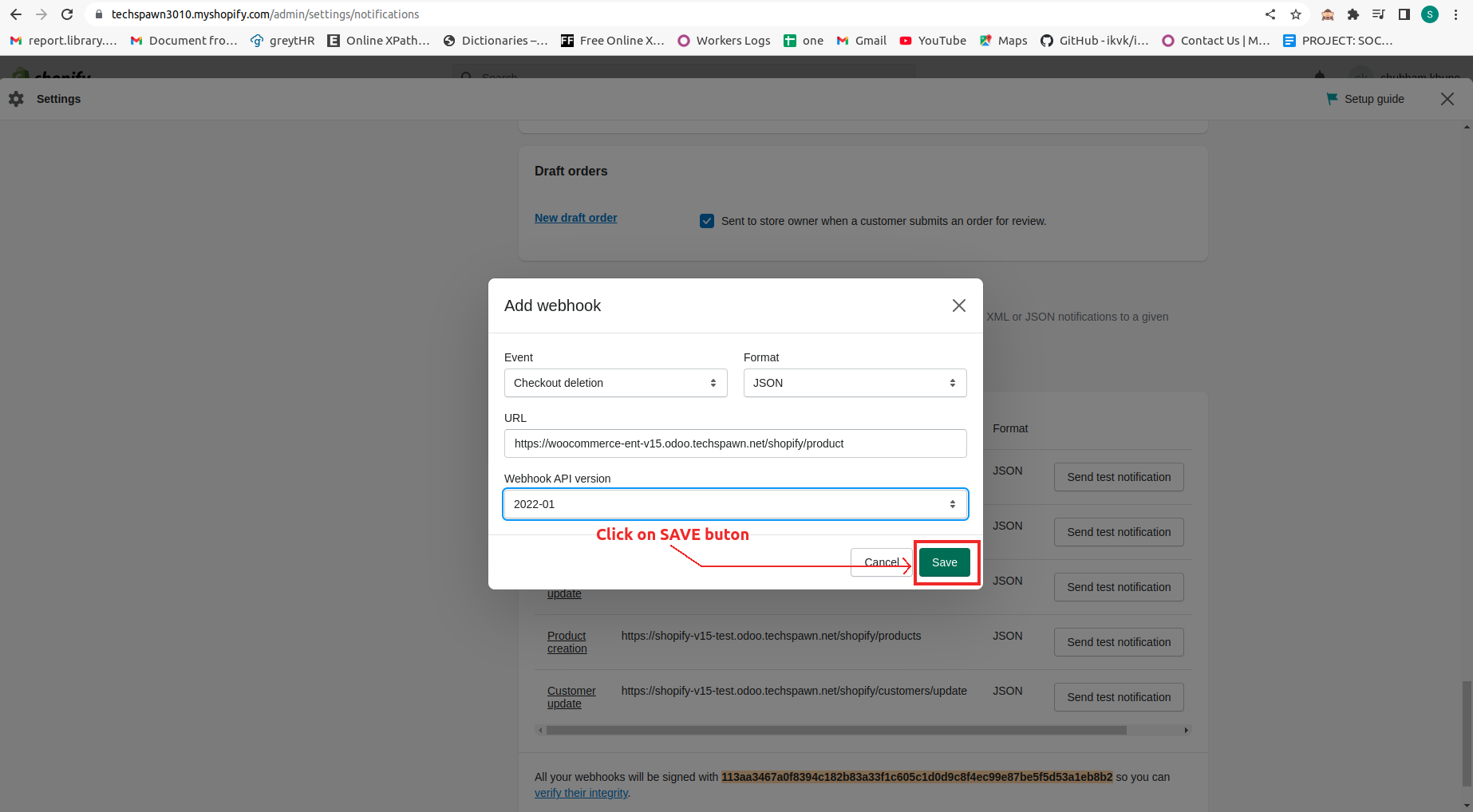
- Now, from the given fields, choose the desired field that you want.
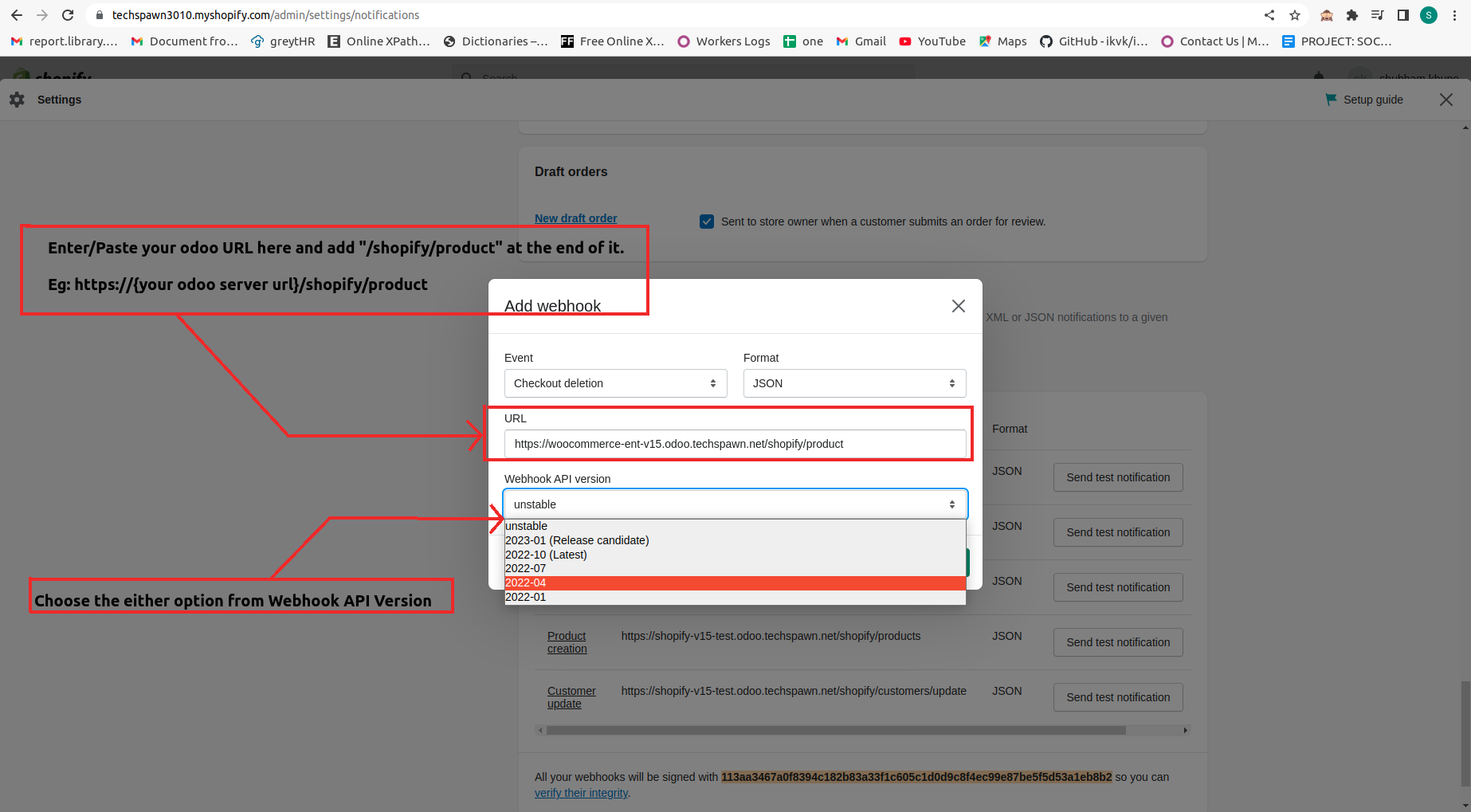
- Here, in URL, enter your odoo URL and after that, write “/shopify/product”.
For instance, “https://{your odoo server url}/shopify/product”.
- After entering the fields, click on “save button”.
- Refer the below URLs for Webhook configurations.
- To update product: /shopify/products/update
eg: https://{your odoo server url}/shopify/products/update - To create customer: /shopify/customers
eg: https://{your odoo server url}/shopify/customers - To update customers: /shopify/customers/update
eg: https://{your odoo server url}/shopify/customers/update - To creare orders: /shopify/orders
eg: https://{your odoo server url}/shopify/orders - To update orders: /shopify/orders/update
eg: https://{your odoo server url}/shopify/orders/update
- To update product: /shopify/products/update
Call us Today! USA:+1-(914)-236-6177 | INDIA: +91-(771)-999-3399
