
1) Enable Batches/ LOT in plugin setting :- Enable batches if we enable this option then its shows the LOT of product which are available & ordered product & it has option of expiry date for product which are ordered. We can see under supplier of product details LOT of product & expiry date of product.
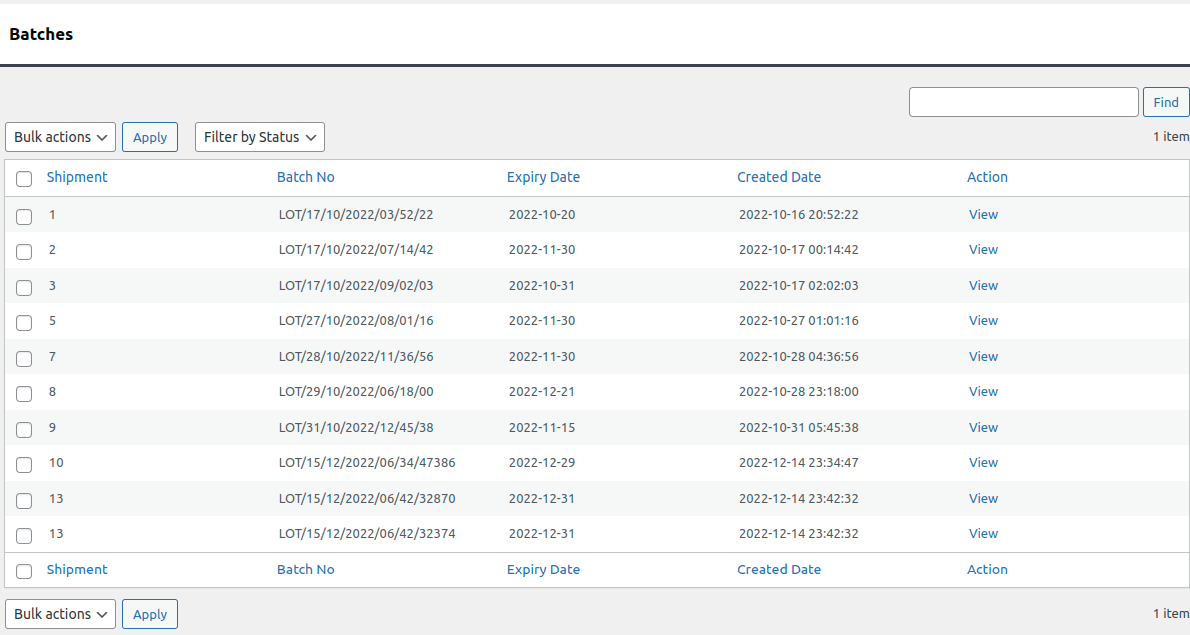
Image 1 : Batches of product details.
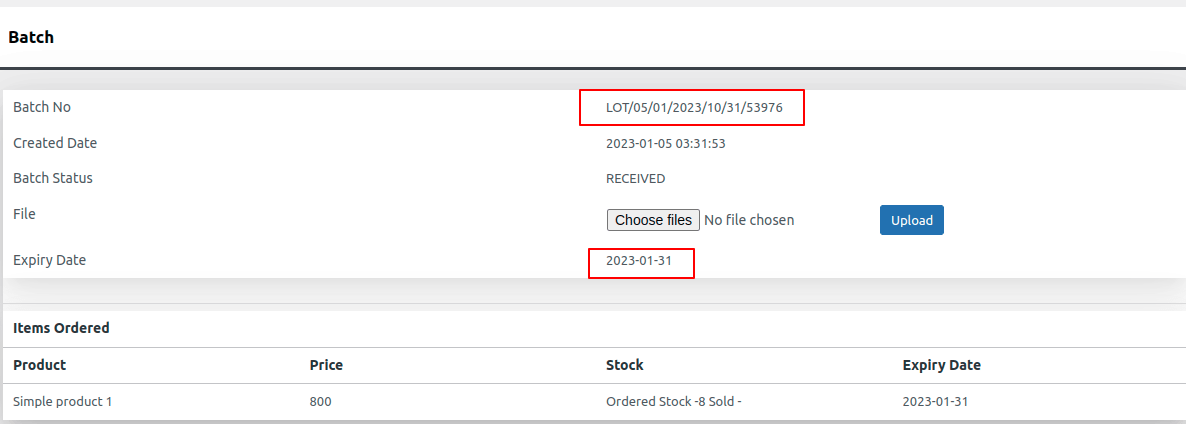
Image 2 : Details of particular batch where LOT is ordered
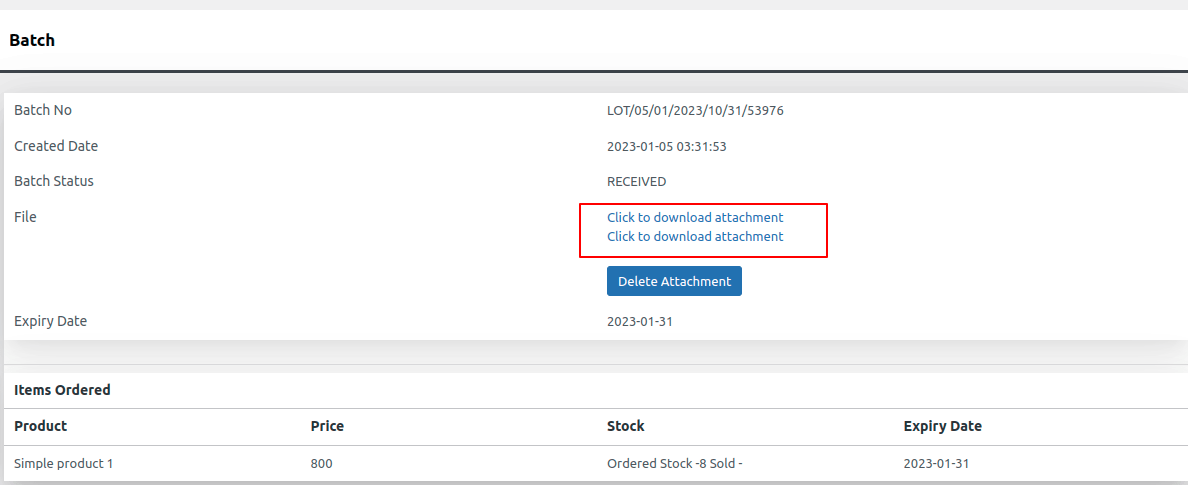
Image 3 : Upload PDF, JPG, PNG
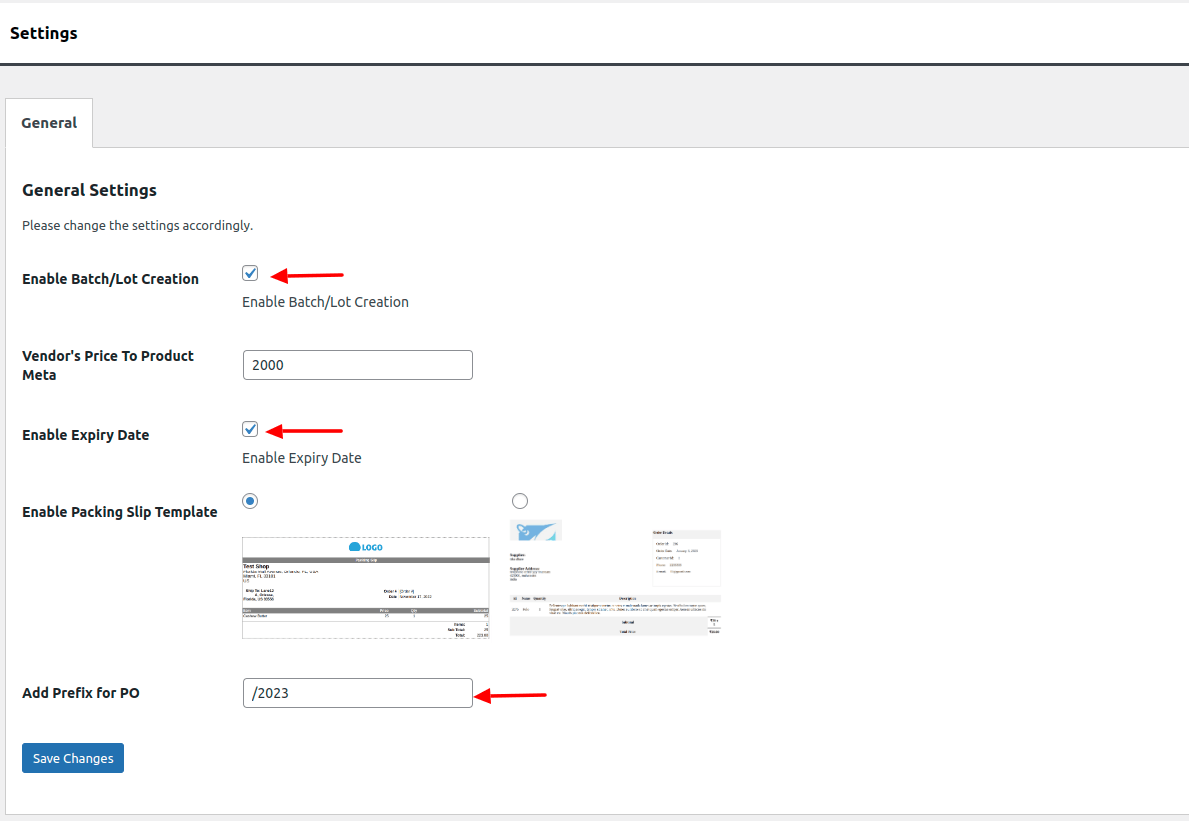
Image 4 : Setting of enable batches/LOT & expiry date.