
After installing the module, activate debug mode from the settings. Once debug mode is active, access the users section where you can either create a new user or edit an existing one.
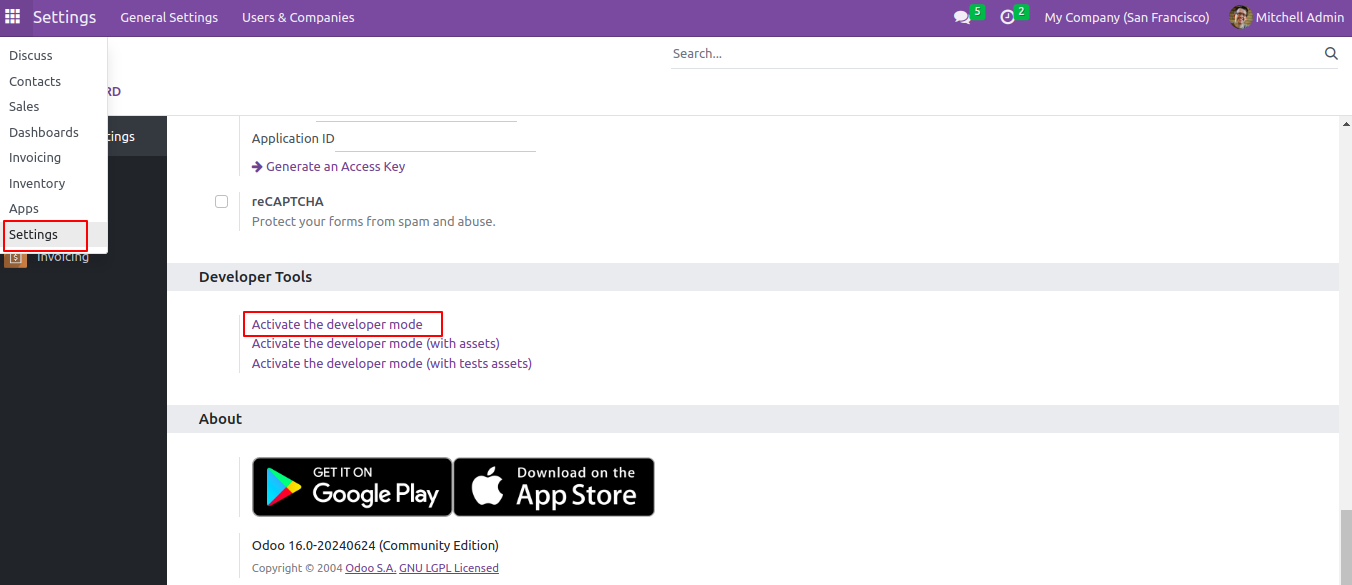
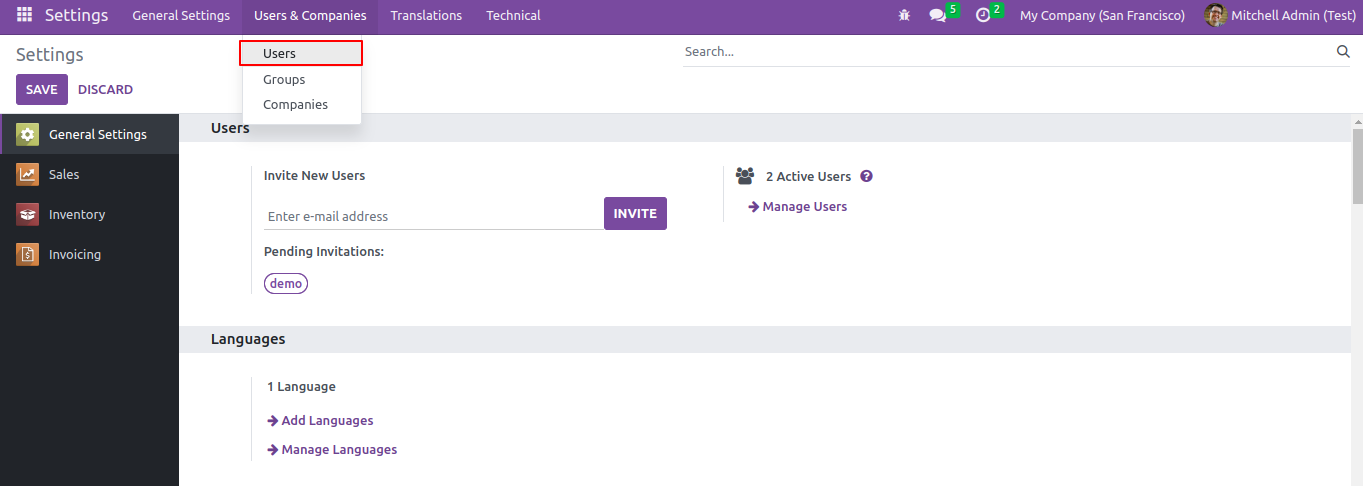
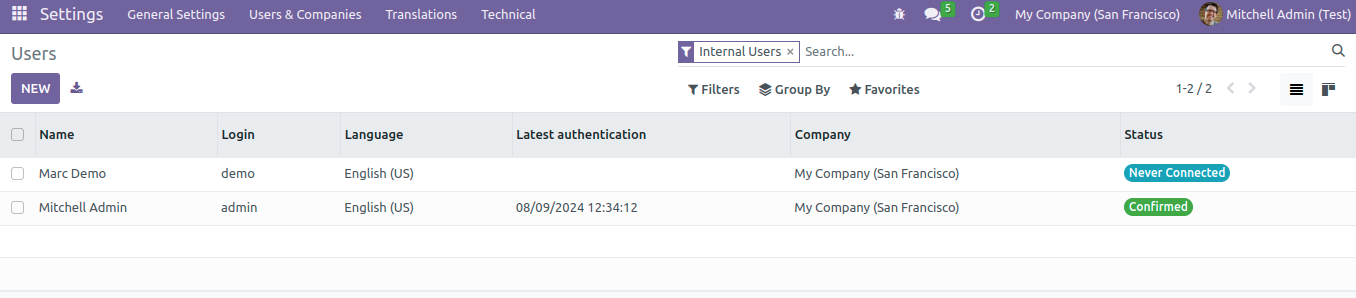
You can create or edit users and grant access to specific individuals.
After clicking on the user admin can see the Warehouse Restrictions text in the Preferences tab.
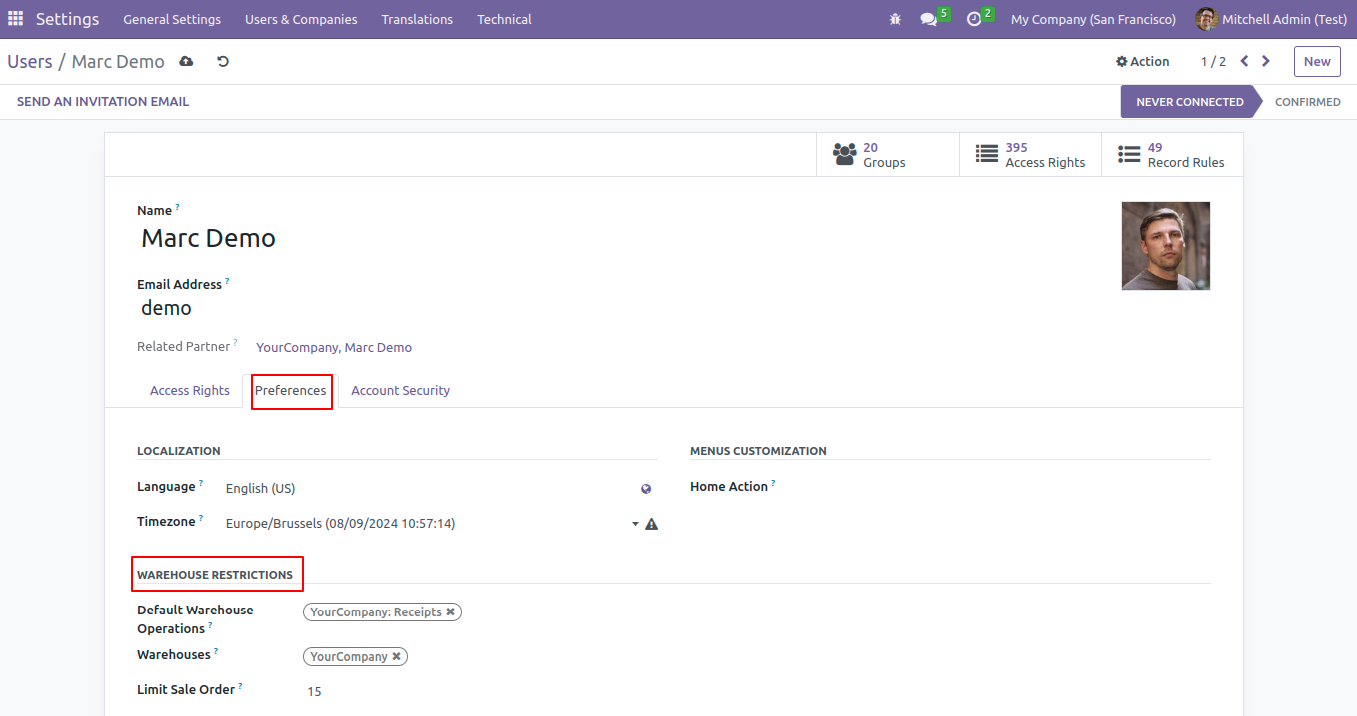
Default Warehouse Option: The default warehouse option allows you to set a primary location for storing and managing your products.
Warehouses: In Odoo, a warehouse is where you store and manage products. You can set up multiple warehouses to keep track of stock in different locations.
Limit Sale Order:You can set a number in the limit sale order to choose how many sales or delivery orders to display.
The admin can control which items are displayed to specific users by granting access. To grant access, click on the Access Rights tab.
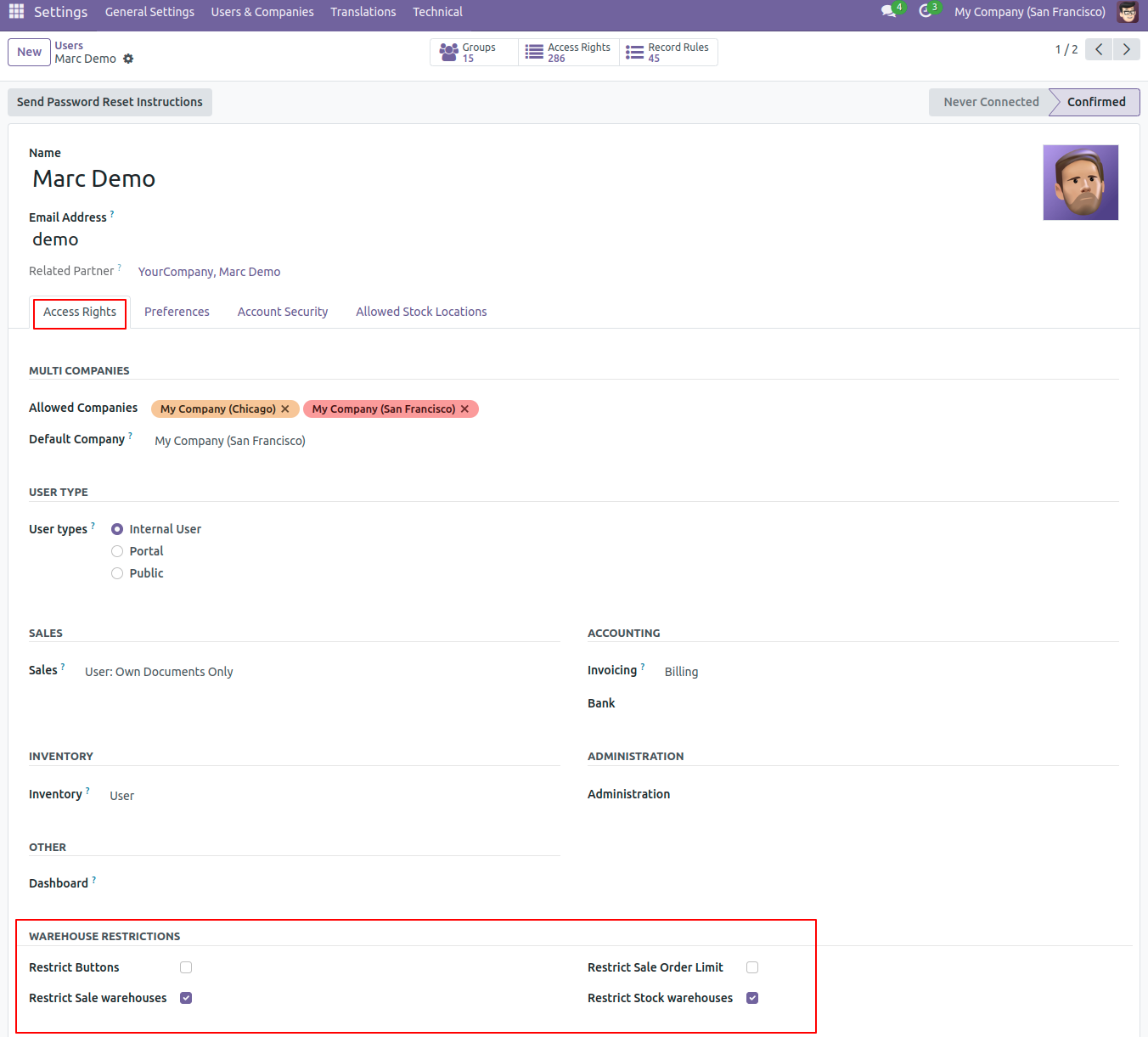
Restrict Buttons: This group is used to Restrict the Create and Scrap button.
Restrict Sale Order Limit: This group is used to get the number of sales orders and deliveries. The Field Limit Sale Order is used to Restrict the number of sales orders and deliveries.
Restrict Stock Warehouses: This group is used to get the stocks which present in preferences. The field used default warehouses which present in preferences.
Restrict Sale Warehouses: The Sales Warehouse in Odoo refers to the warehouse where products related to a particular sales order are picked, packed, and shipped to customers.