- We can split the package based on rules. To set the rules. Click on StockUpp Shipping Package For WooCommerce. Click on Create packaging rule.

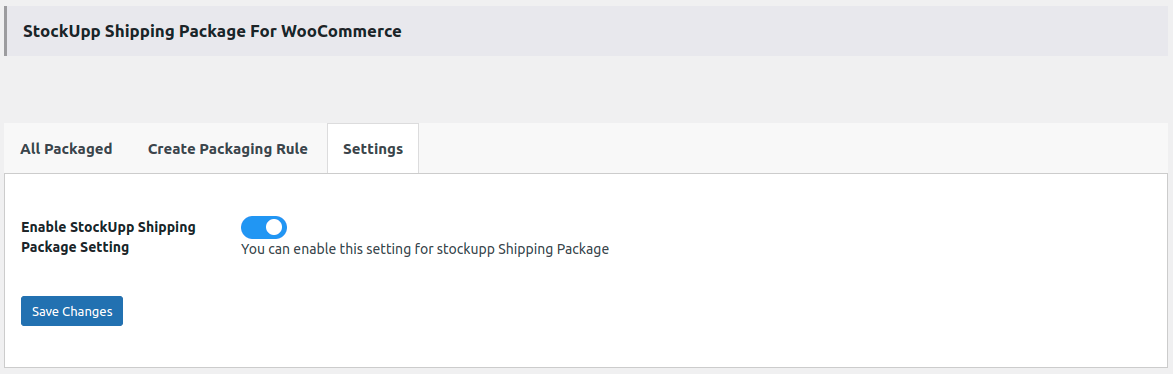
- Enable the Stockupp Shipping package setting from the Setting tab
- To create a package click on the “Creating packaging rule tab”
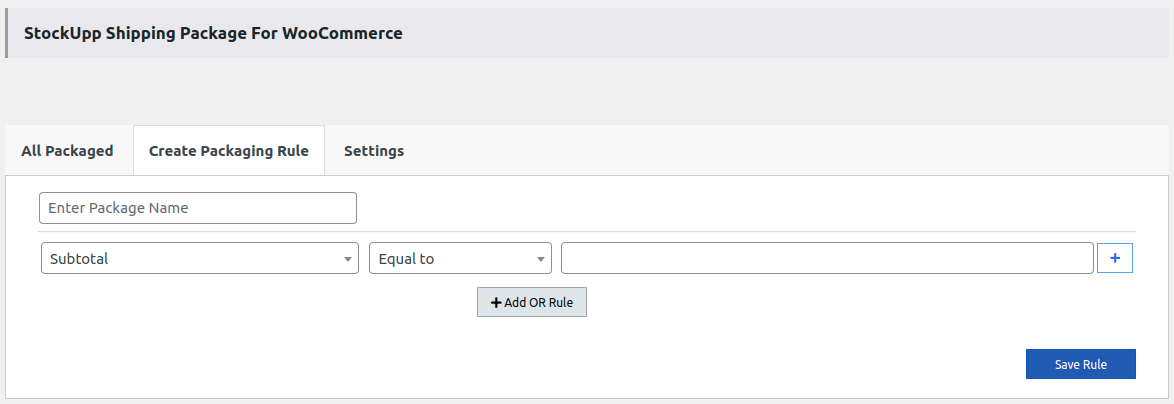
- We can create rules according to our convenience by using products in a cart with various conditions.
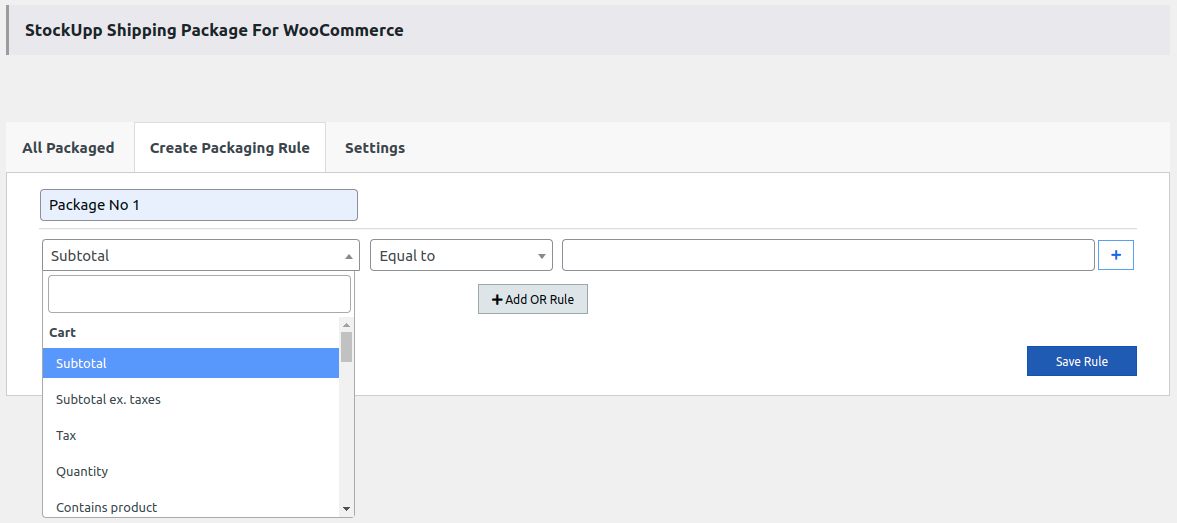
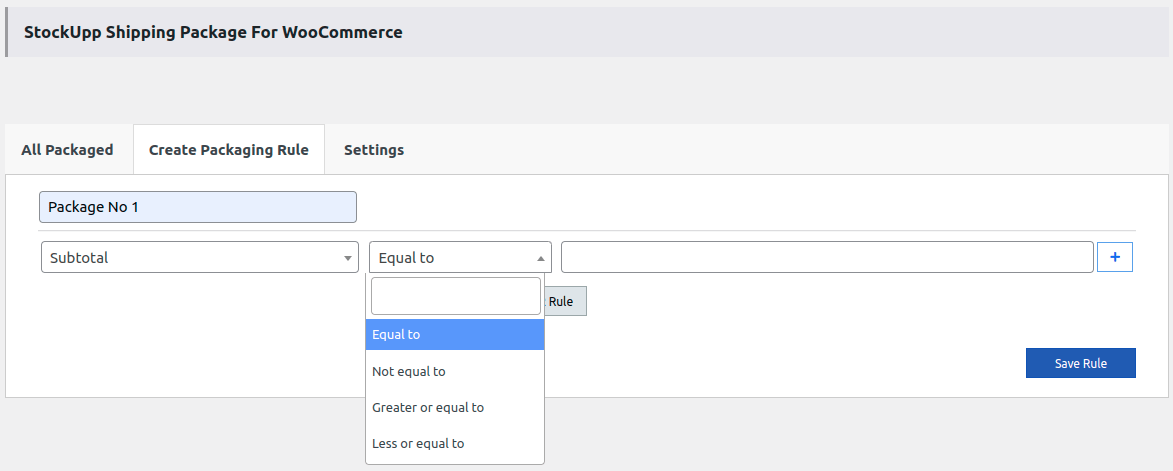
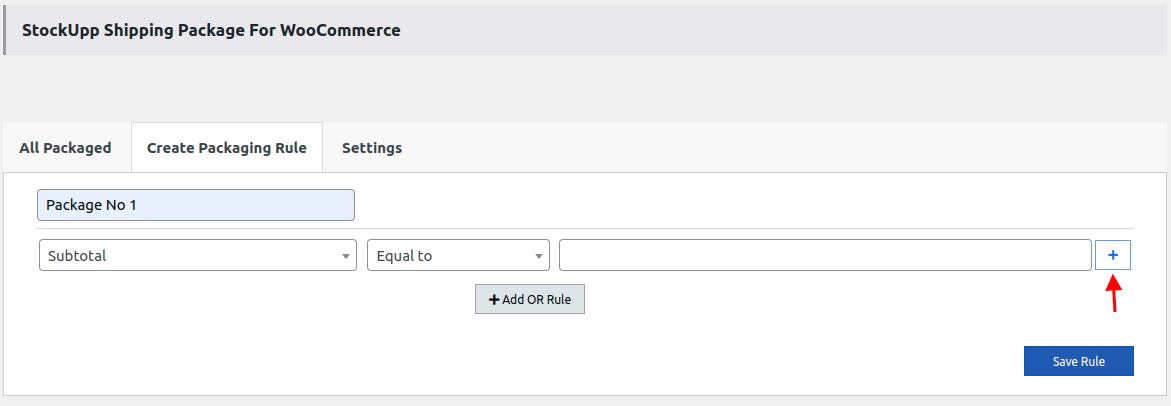
- We can add one more rule using the “+ ” icon.
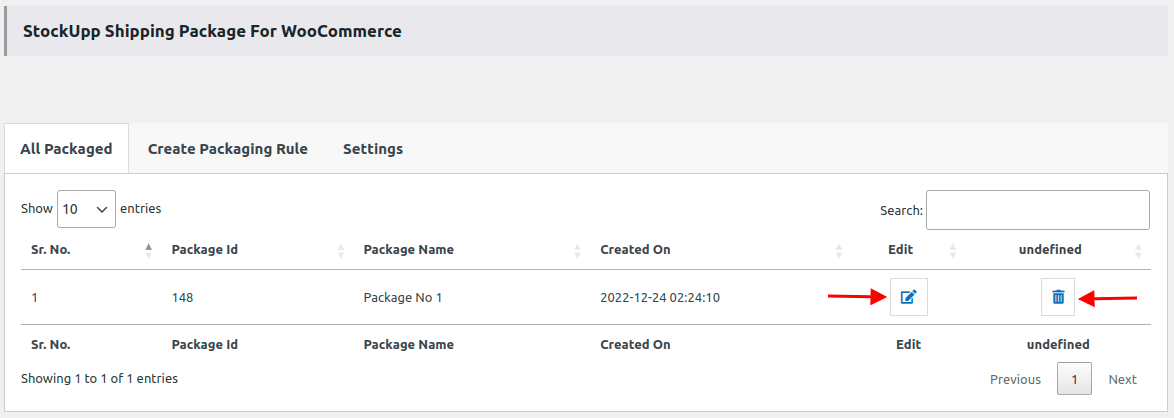
- All saved rules should be displayed in the All Packaged tab.
- We can delete the created package using the delete Icon. And we can edit the rule using the Edit icon.
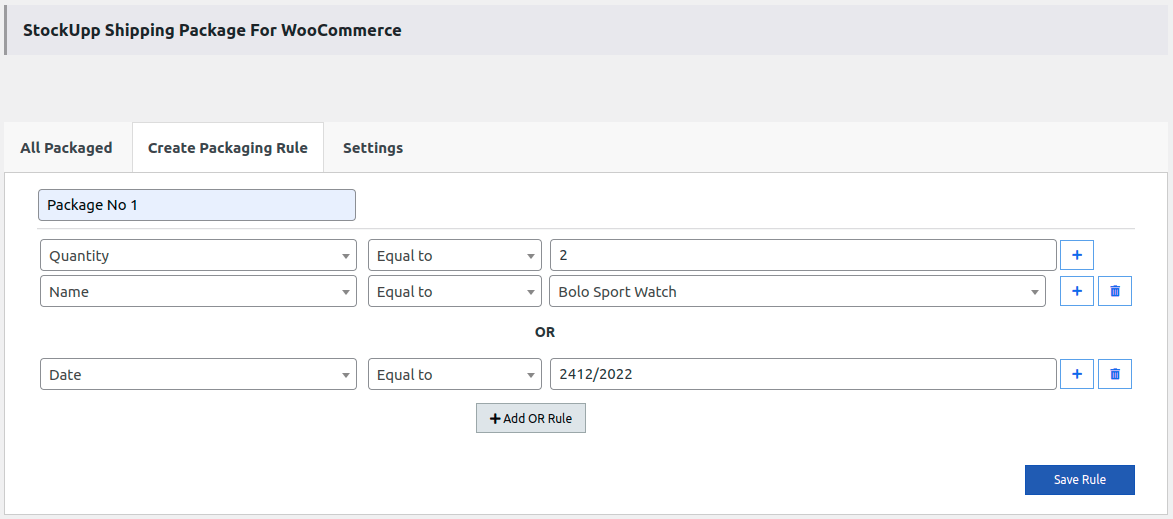
- Let’s see with an example, Admin has created one Packaging rule based on the Product name and Product quantity as shown in the below image.
- On the front end, the user has added two product that falls under the above-created criteria for the Packaging rule.
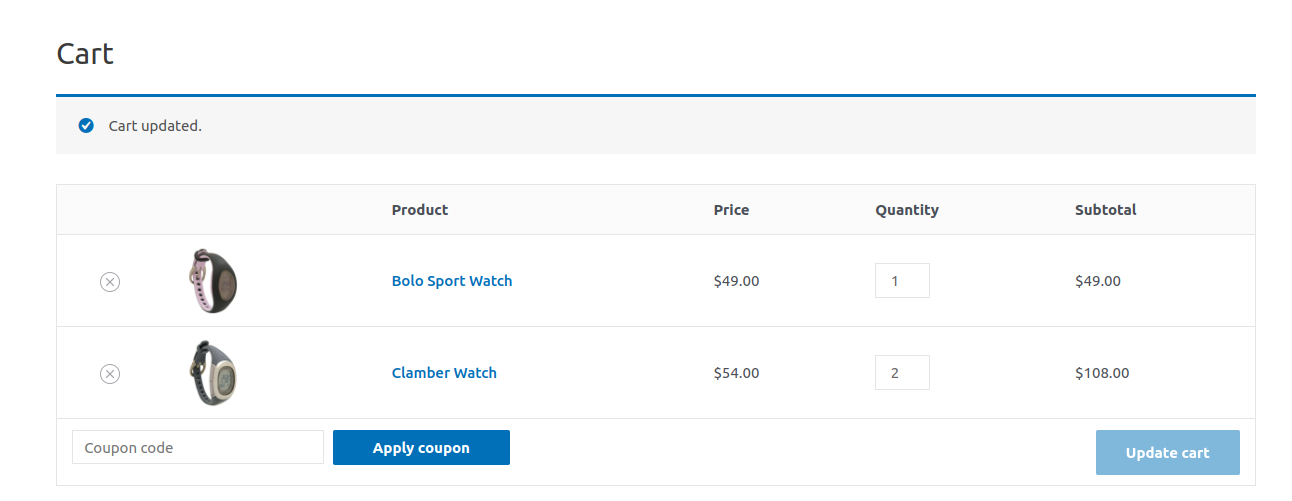
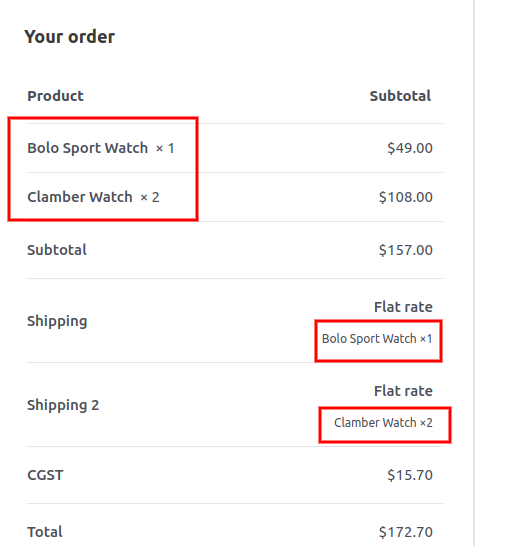
- The packaging rule is applied and forms the split as shown below image.
On the cart page, it looks like the below image
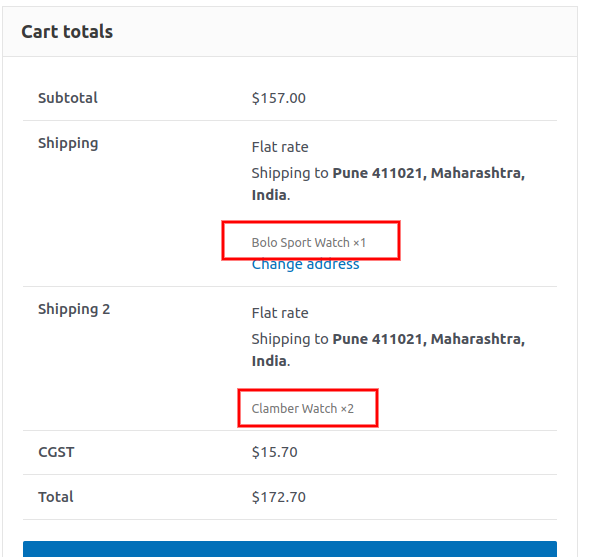
On the checkout page, it looks like the below image