- Firstly install and Activate the Woocommerce Multilocation inventory Management Plugin

- In the Multilocation plugin, Go to Settings – In General, In the Backend only mode section, Turned on the “Allow to Work plugin from Backend Only” setting
2. Click on the ‘Save Changes” button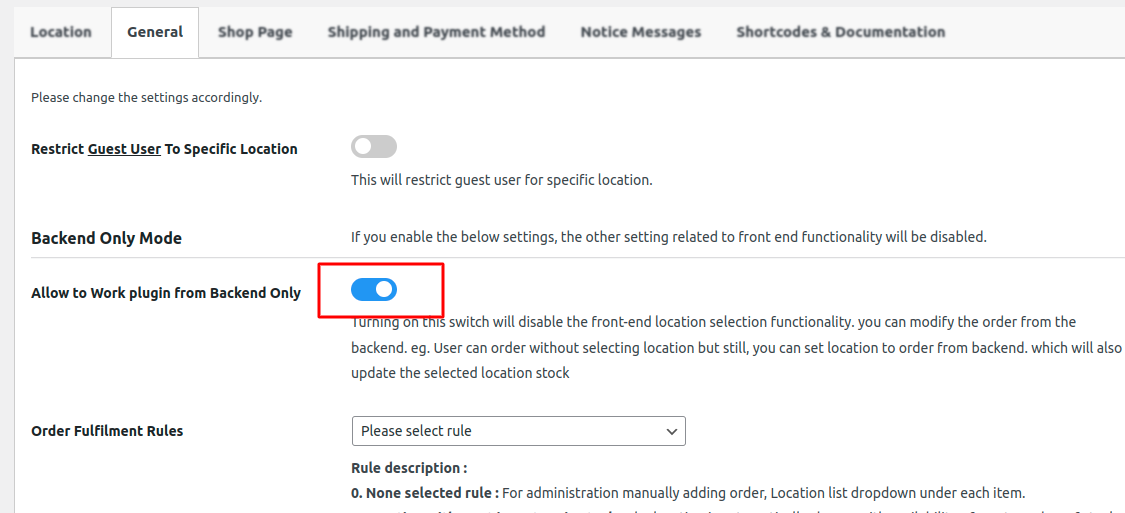
- Go to Plugins and Install and activate the Smart location allocation for Multilocation Plugin.
- Enter Your email address and purchase code.
Call us Today! USA:+1-(914)-236-6177 | INDIA: +91-(771)-999-3399
