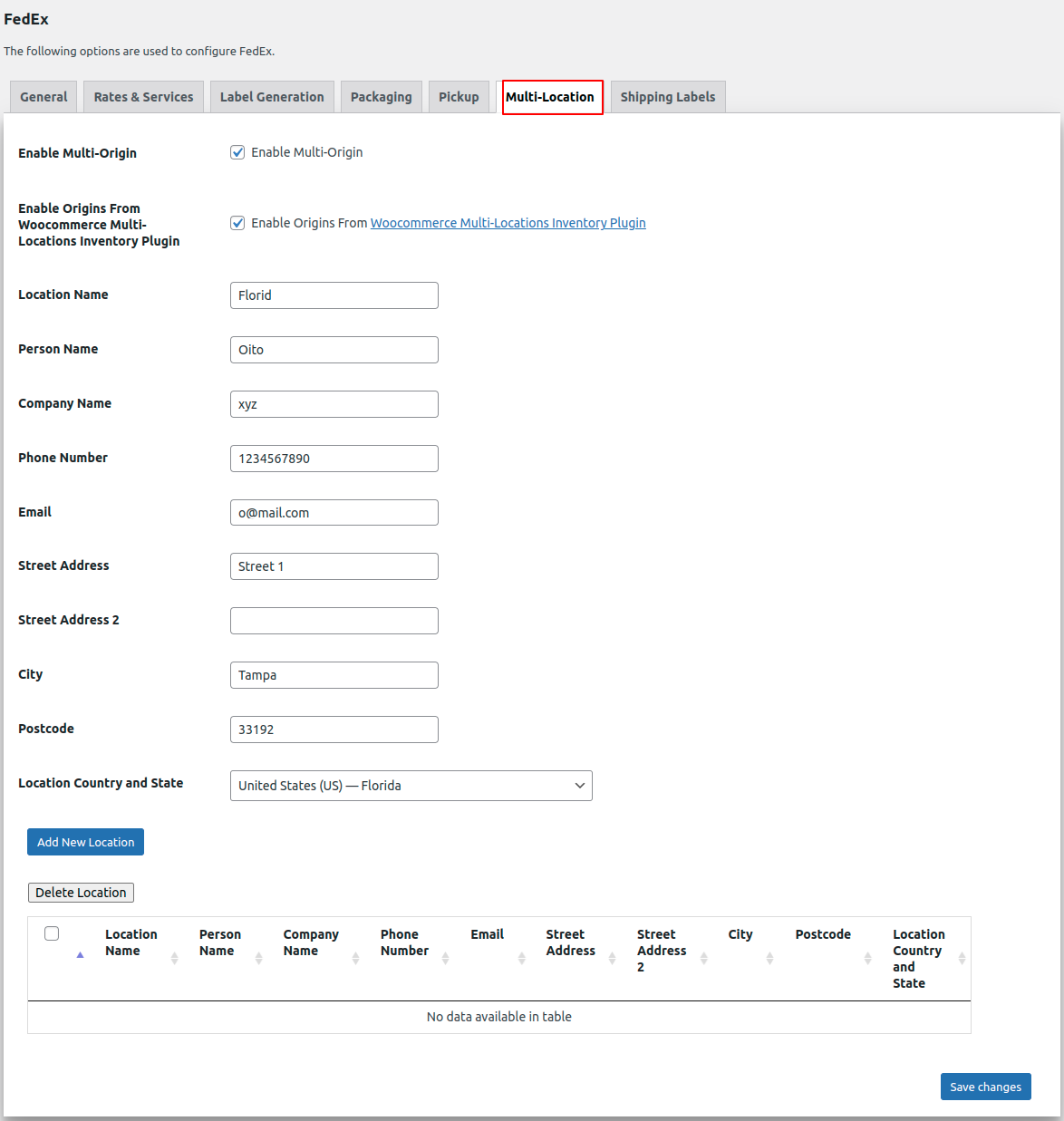
Check the Multi-Origin checkbox to enable the multi location.
Enter the location details and save the changes.
To use the multi-location feature, follow these steps:
- Turn on the multi-location option
- Input the address of the location(s)
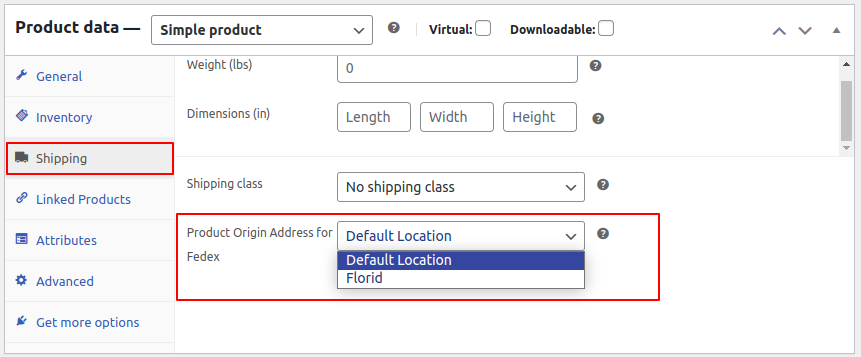
- Once the multi-location setting is enabled for products, the Product Origin Address for FedEx will be displayed
- Choose the desired Product origin address from the dropdown menu.